How to Choose Cameras for Selora Vision: PoE First, Wi-Fi Only Where You Must
Selora Vision watches every camera around the clock, so the camera and the cable matter. Why we recommend PoE cameras, what a Wi-Fi camera costs your Zigbee and Thread devices, and which Reolink camera fits the front door, the driveway, the back yard and the rooms inside.
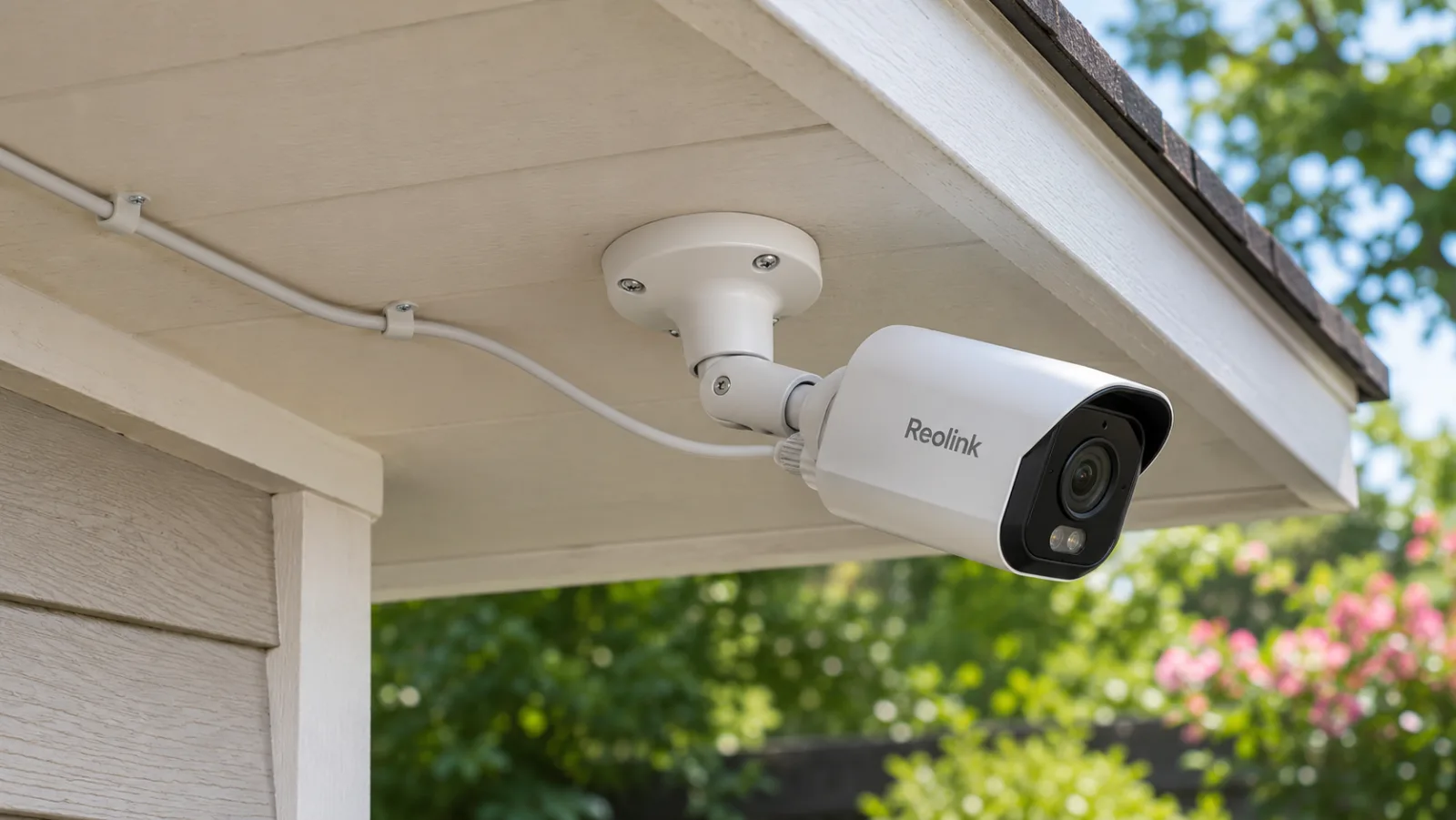
Selora Vision turns the Selora Hub into a recorder that recognizes people, vehicles, animals and the faces you know. It only sees what your cameras send it, though, and it watches them all day, every day. Picking the right camera, and the right way to connect it, is most of the work of a good system.
The short version: wire your cameras with PoE wherever a cable can reach, and keep Wi-Fi cameras for the few places it cannot.
A recorder never stops watching
A phone app opens a camera’s video when you look at it. A recorder does not wait for you. Selora Vision keeps a connection open to every camera, all the time, so that it can spot the person walking up the driveway at 3 a.m. and keep the seconds before they arrived.
That means every camera sends video without a break, and those streams add up. Take the Reolink RLC-810A, a 4K camera we recommend: at its default settings, its main stream runs at about 6 Mbps, and Reolink’s own figure for four of them is about 24.6 Mbps, around the clock. On a cable, that is nothing. On Wi-Fi, it is a lot.
Why PoE
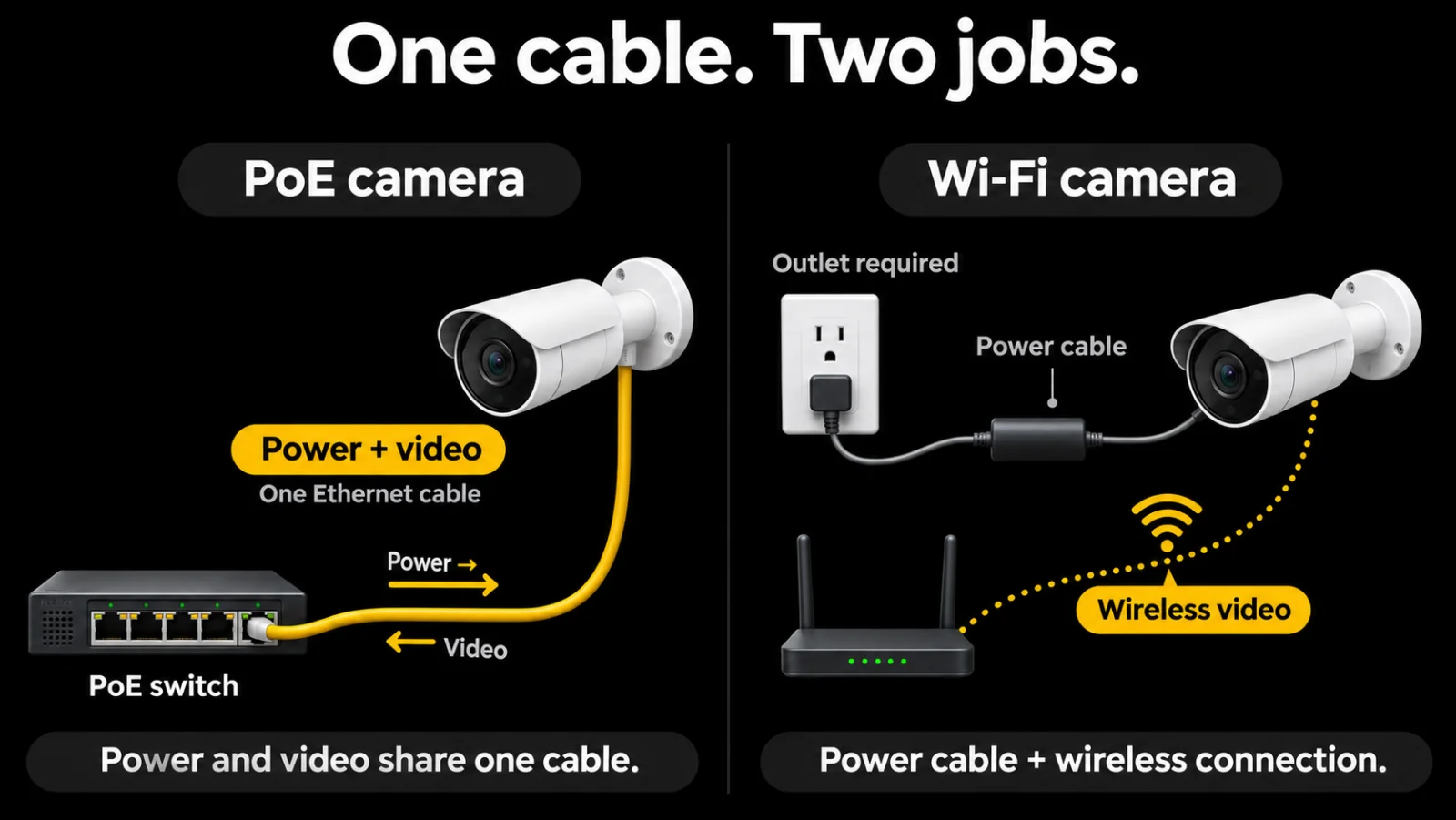
A PoE (Power over Ethernet) camera gets its video and its power through a single network cable, from a PoE switch or a PoE recorder. That one cable solves three problems at once:
- No dropped streams. Frigate, the engine behind Selora Vision, warns in its hardware guide that Wi-Fi cameras “are not recommended as their streams are less reliable and cause connection loss and/or lost video data”. Each drop is a gap in the recording and a moment Selora Vision is blind.
- No outlet to find. The camera goes where it sees best, under an eave or above a garage door, not where there happens to be power.
- Nothing for the Wi-Fi to carry. The video travels on its own cable and leaves the wireless network to the devices that need it.
What a Wi-Fi camera costs the rest of the home
Wi-Fi is a shared medium: only one device can talk on a channel at a time. Every Wi-Fi camera uploading video around the clock keeps its channel busy, so the router has less time for everyone else. With a few of them, phones, laptops and TVs slow down, and the router works harder than it was built for.
The bigger cost is invisible. On the 2.4 GHz band, Wi-Fi shares the air with the radios that run most of a smart home:
- Zigbee, used by many sensors, bulbs and buttons, runs on 2.4 GHz. As the Zigbee2MQTT guide puts it, “Wi-Fi and Zigbee both operate on the same frequency space (2.4 GHz), they can interfere with each other”.
- Thread, behind many Matter devices, uses the same IEEE 802.15.4 channels as Zigbee, in the same band.
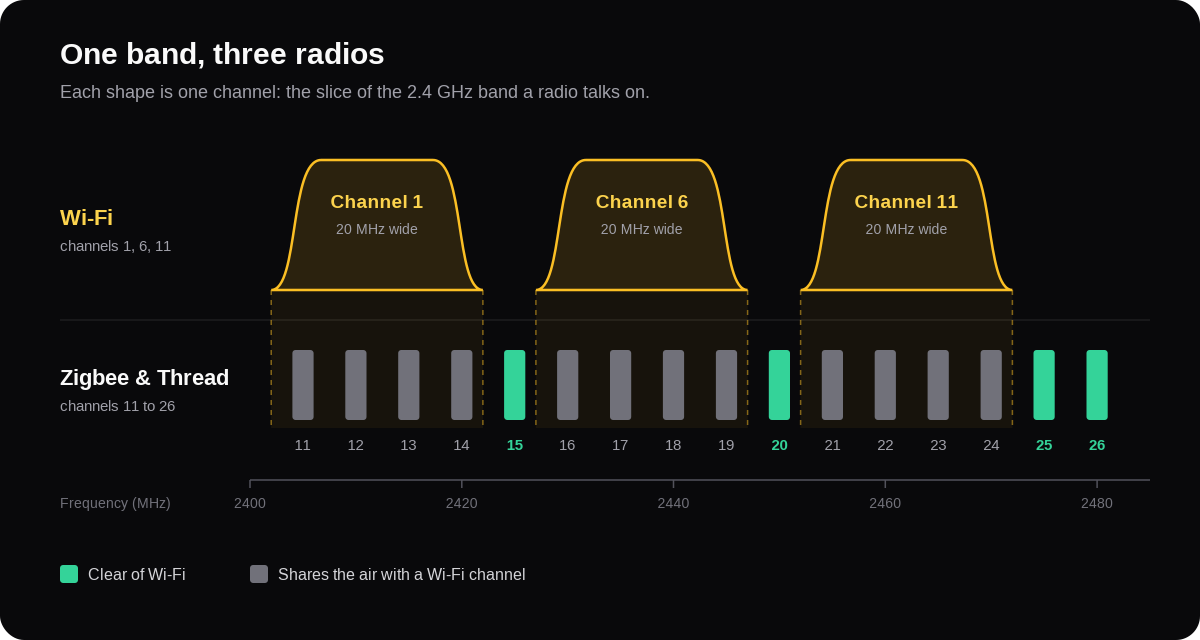
Wi-Fi channels 1, 6 and 11, the three that do not overlap each other, cover most of the band. Of the sixteen Zigbee and Thread channels, only four fall in the gaps between them.
Zigbee and Thread devices send tiny messages and expect a quiet moment to send them. A camera streaming on a nearby 2.4 GHz Wi-Fi channel never leaves one. The symptoms show up far from the camera: a motion sensor that reports late, a light that ignores a button, a lock that drops off the network. Our guides on Zigbee devices that go unavailable and Thread network pitfalls both cover this overlap.
When Wi-Fi is the only option
Sometimes a cable cannot reach: a finished room, a rental, a detached shed. A Wi-Fi camera can work there, with a few precautions:
- Put it on 5 GHz. Reolink’s E1 cameras are dual-band. On 5 GHz, the camera stays out of the band Zigbee and Thread use.
- Use the Ethernet port if there is one. The E1 Pro, E1 Zoom and E1 Outdoor Pro all take a cable when one can be run later.
- Keep it to one or two. A home of Wi-Fi cameras is the case Frigate warns about.
- Give it a fixed IP address. Selora Vision finds each camera at its address. See Reserve IP addresses.
Why Reolink, and not UniFi
The other camera brand installers ask about is Ubiquiti UniFi. Both are good cameras that keep video in the home. They suit different homes:
- UniFi Protect is a whole ecosystem: the network and the cameras in one app, with polished software and central management. Current UniFi cameras, G5 and newer, need a UniFi Protect console, such as a Cloud Key or a Dream Machine, to share their video with Selora Vision, and the console records too. You pay for that ecosystem.
- Reolink cameras stand on their own. Each wired one streams over RTSP to whatever records it, with no console to buy, and the range runs from budget bullets to zoom, dual-lens, floodlight and pan-tilt models. The upfront cost is lower, and the integration stays open to any local recorder or smart home platform.
With Selora Vision, the Hub is already the recorder, and it brings the features you would otherwise buy a console for: person, vehicle and animal detection, face and license plate recognition, search in plain words, and backups to a NAS or the cloud. Adding a UniFi console on top would mean paying for a second recorder. That is why we recommend Reolink for new installations.
A home that already runs UniFi Protect keeps it: Selora Vision can watch the cameras without recording them and add its detection and Selora AI on top.
Which camera where
We recommend Reolink cameras for Selora Vision: they work fully locally, offer RTSP streams with a smaller second stream for detection, and most are listed as tested in Home Assistant’s Reolink integration. Here is how they map to the places a home usually needs covered.
The front door
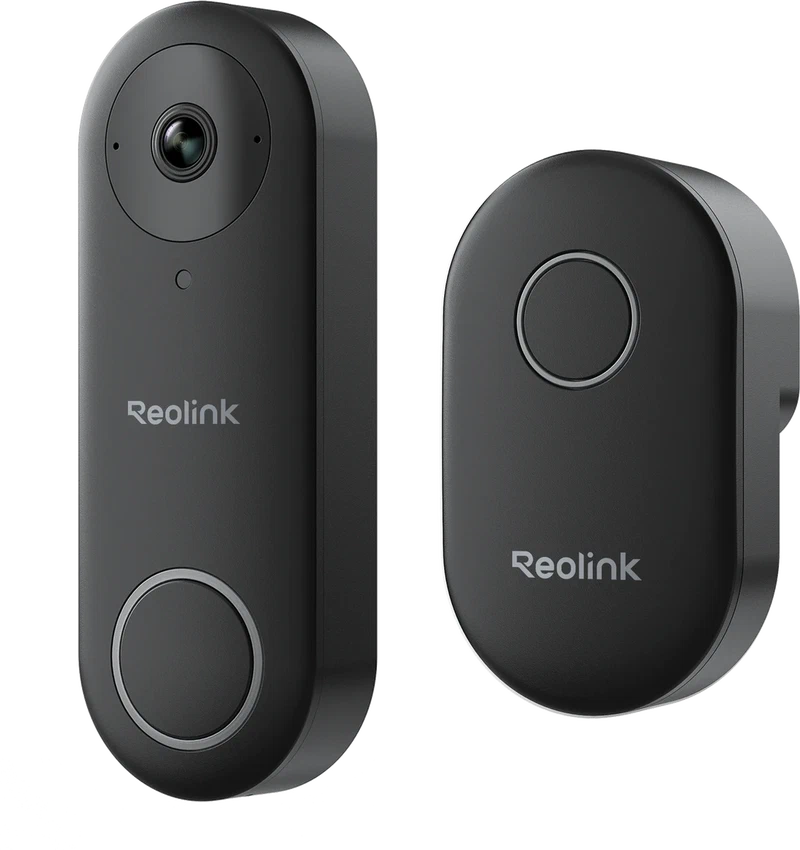
The front door is where you want to know who, not just someone. The doorbell sits at face height, a few feet from visitors, which is exactly what face recognition needs. Selora Vision can then tell you Alex is home, or notify you only when someone you do not know rings. The press of the button comes into Home Assistant too, ready to ring a chime or pause the TV.
It comes in a Wi-Fi version as well. Pick PoE: a doorbell is the camera you least want to miss a frame.
The driveway and the street
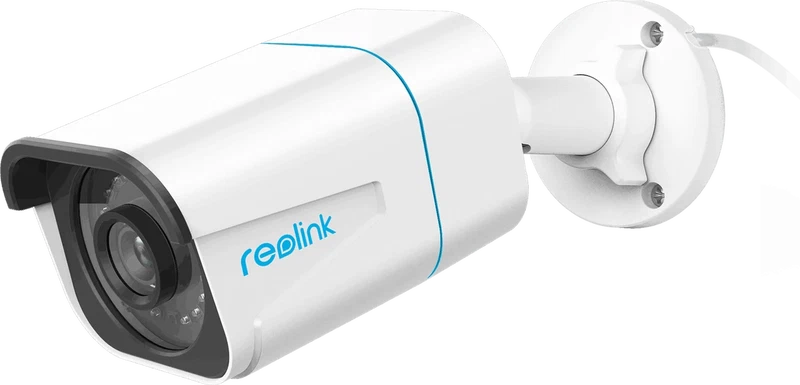 ReolinkRLC-810A
The Reolink RLC-810A is a 4K PoE bullet camera with on-device person, vehicle, and animal detection. Home Assistant's local Reolink integration exposes the stream and detection sensors with no cloud subscription.
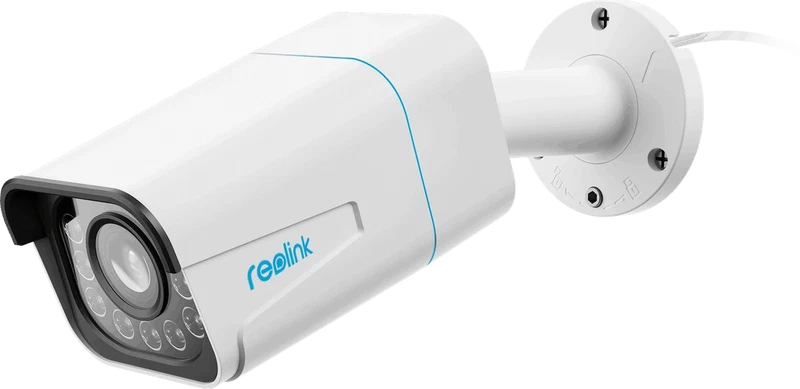 ReolinkRLC-811A
The Reolink RLC-811A is a 4K PoE bullet camera with 5x optical zoom, a spotlight, a siren, and two-way audio. Home Assistant's local Reolink integration exposes the stream, zoom, light, siren, and detection sensors.
A 4K bullet camera with a fixed lens covers most driveways. Where the gate or the street is far from the only place you can mount it, the RLC-811A’s 5x optical zoom brings it close, and its spotlight and siren make it a deterrent as well.
This is also the camera to turn camera descriptions on for. The Hub sees “car”; descriptions tell you “a white FedEx van parked on the driveway”, and let you search for it weeks later.
The back yard
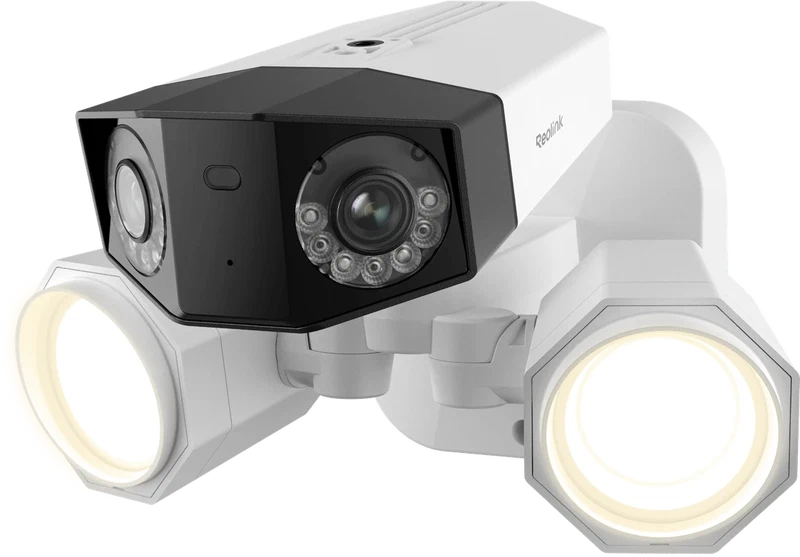
A wide yard usually takes two cameras to cover corner to corner. The Duo Floodlight, like the Duo 3 PoE, takes one: two lenses stitched into a single 180-degree view. The Duo Floodlight adds a floodlight and siren that Home Assistant can switch, so the yard can light up when Selora Vision sees a person, not every time a branch moves.
Plan for the power: the Duo Floodlight needs a PoE+ (802.3at) switch port.
Under the eaves
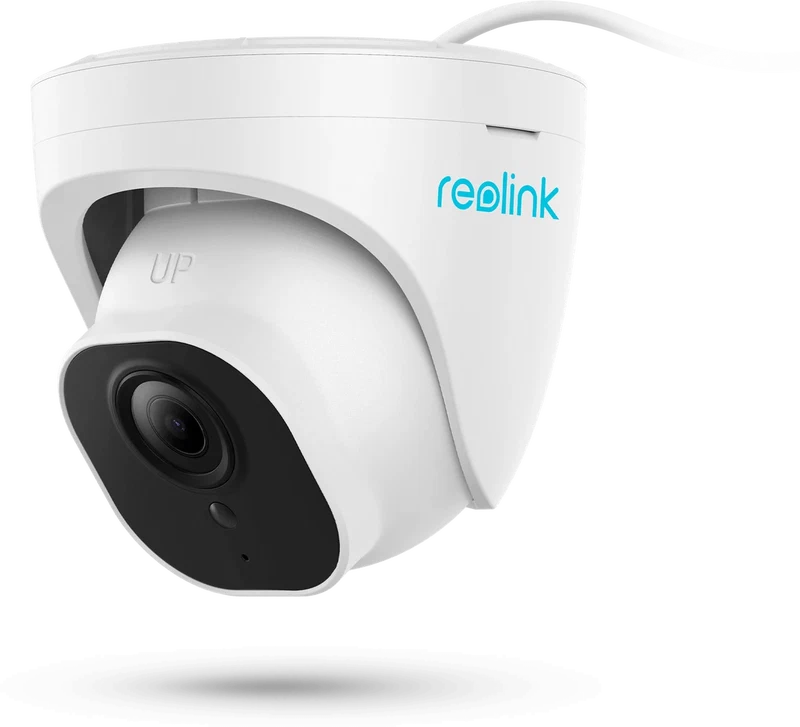
The dome version of the RLC-810A, with the same 4K sensor. A dome mounts flat against a soffit or a ceiling, and sits more discreetly on the front of a house than a bullet.
Inside the home
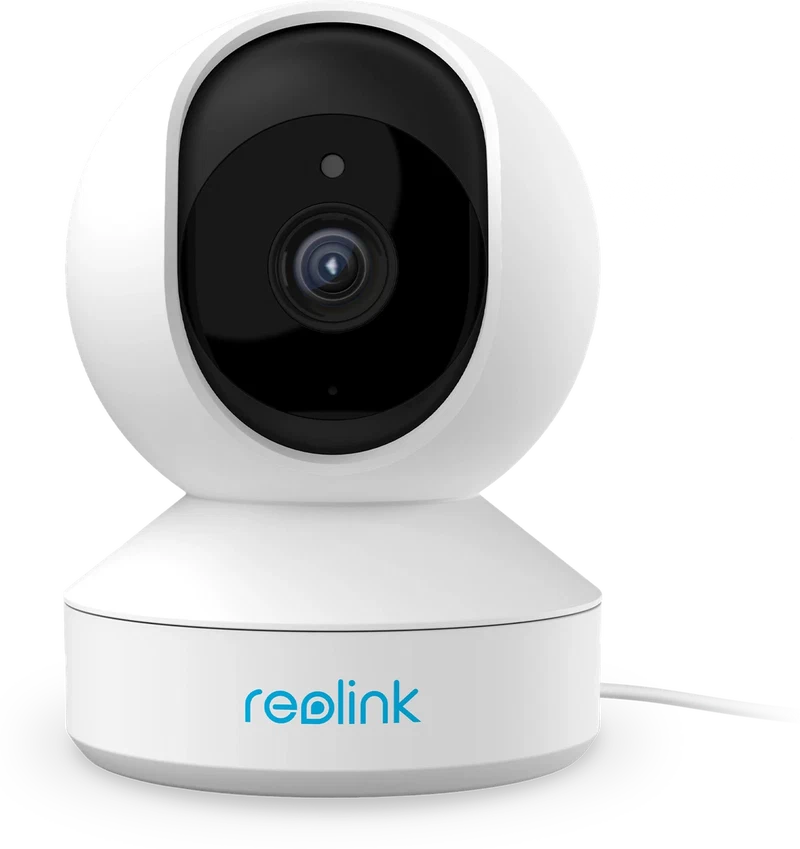 ReolinkE1 Pro
The Reolink E1 Pro is a 5MP indoor pan-tilt camera with dual-band Wi-Fi and an Ethernet port. Home Assistant's local Reolink integration exposes the stream, pan-tilt controls, and person and pet detection.
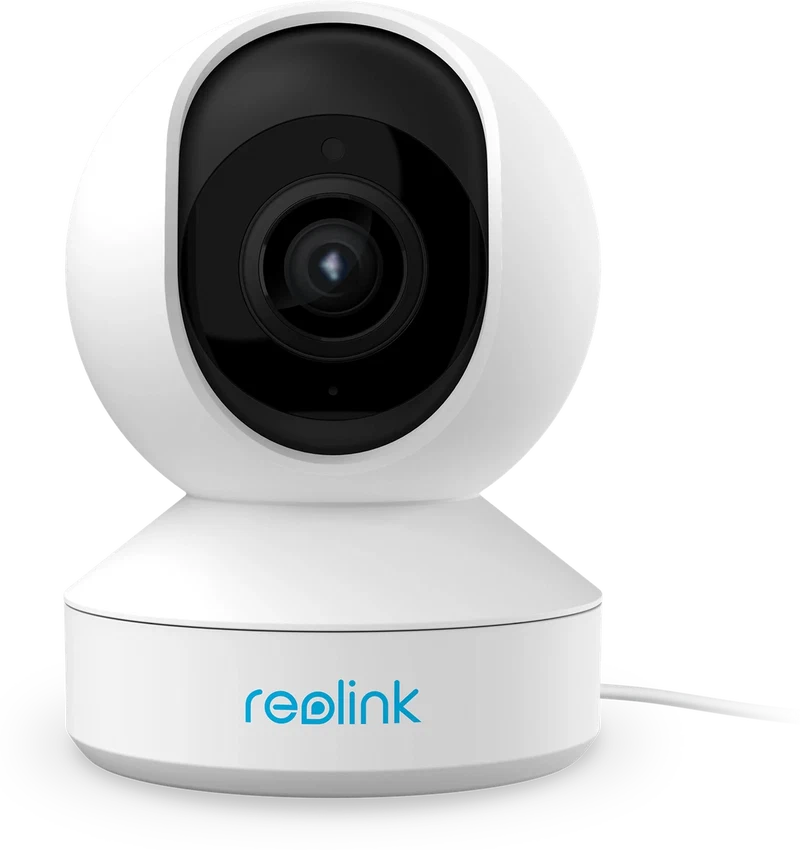 ReolinkE1 Zoom
The Reolink E1 Zoom is a 4K indoor pan-tilt camera with 3x optical zoom, dual-band Wi-Fi, and an Ethernet port. Home Assistant's local Reolink integration exposes the stream, pan-tilt-zoom controls, and person and pet detection.
Indoor pan-tilt cameras plug into an outlet rather than PoE, and join Wi-Fi. Use their Ethernet port where a cable is within reach, and 5 GHz where it is not.
Inside, Selora Vision is most useful when nobody is home: a person detected in the living room while the alarm is armed is worth a notification. Keep camera descriptions off for these cameras: their pictures are of the people who live there, and descriptions are the one feature that sends pictures out of the house.
Where there is no power at all
Battery cameras, such as the Argus 4 Pro, save their battery by sleeping until they sense motion, and every live view drains them. That is the opposite of what a recorder needs. They can still send their own person and vehicle alerts to Home Assistant through a Reolink Home Hub, but for a camera Selora Vision records and analyzes, run a cable.
Planning a system
A few rules carry most installations:
- Size the plan to the cameras. Essentials is typically good for 4 cameras, Premium for 8 and Estate for 16. Beyond that, talk to us about Enterprise.
- Pick the PoE switch with the cameras. Count the ports, and check the power budget: a PoE+ camera like the Duo Floodlight draws more than a plain bullet.
- Turn on the second stream. Selora Vision records the main stream and runs detection on the smaller one, which keeps the Hub’s load down. The Frigate camera guide notes that “higher resolutions do not improve the detection accuracy”.
- Prefer H.264 if playback matters. H.265 saves space, but not every browser plays it back.
- Already have a recorder? Selora Vision can watch cameras without recording them and leave the footage where it is: here is how.
Installers will find the full checklist, from storage to VLANs, in the Selora Vision installer guide.
Get started
Browse the recommended cameras, wire what you can with PoE, then turn Selora Vision on from the Selora Vision card in your Selora Homes account and ask Selora AI to add your cameras. The Selora Vision guide covers the rest.