
Installation Manifests: Plan the Whole Install Before You Arrive
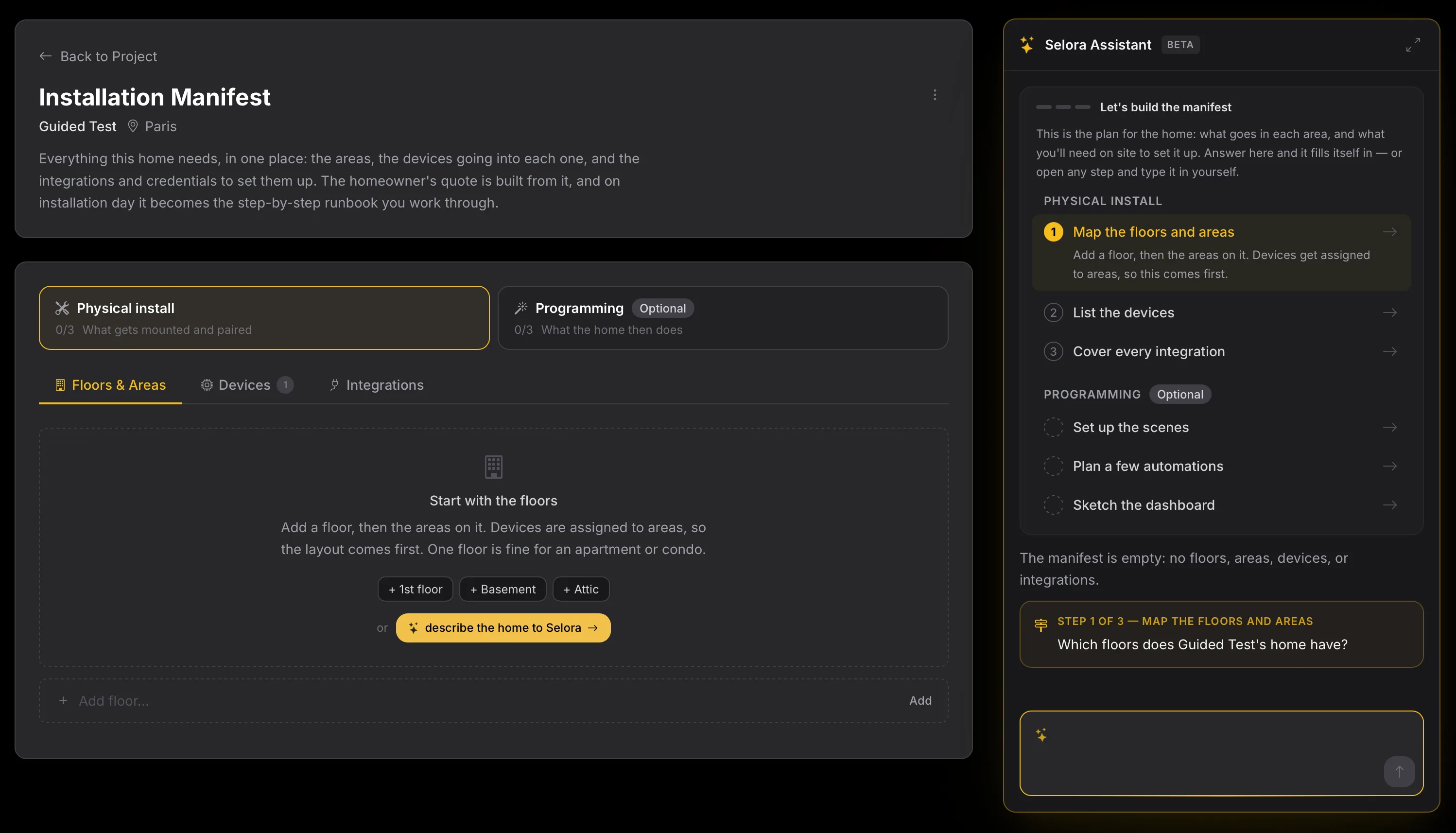
Every Selora Connect project now has an installation manifest: the floors, areas, devices, integrations, and programming for the home, planned before install day. Describe the home or paste a call transcript, and Selora Assistant fills it in from our catalog and our expertise.
Most install-day surprises were visible weeks earlier. The Zigbee sensors with nothing to pair to. The lock the homeowner assumed was included. The cloud account password nobody asked for until the technician was standing in the hallway. None of that is hard to solve at a desk. All of it is expensive to solve on site, in front of the customer.
Installation Manifests are now live in Selora Connect . They move that work to the Design phase of a project, where it belongs: before anyone gets in the van.
One plan for the whole home
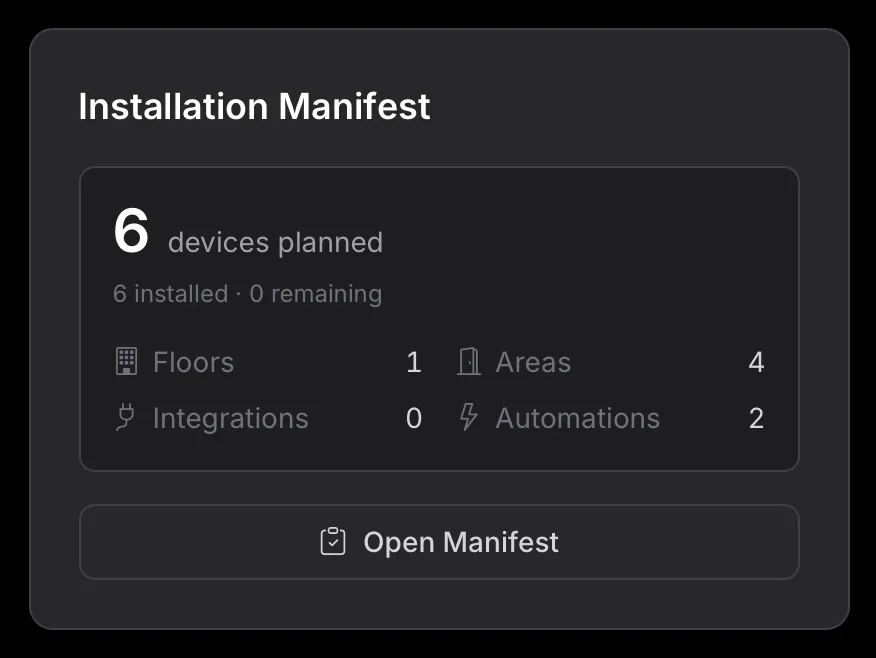
The manifest is the plan for one customer’s home, in one place: the floors and areas, the devices going into each area, the integrations those devices need, and what the home should do once everything is in. It sits on the project page from the System Design stage, with a summary of what is planned.
The work is split into two phases:
- Physical install is what gets mounted and paired: the floors and areas, the devices in each one, and every integration they need.
- Programming is what the home then does: the scenes, the automations, and the dashboard the homeowner will use every day.

You can fill in every tab by hand. Or you can let the assistant do it.
Describe the home, or paste the call
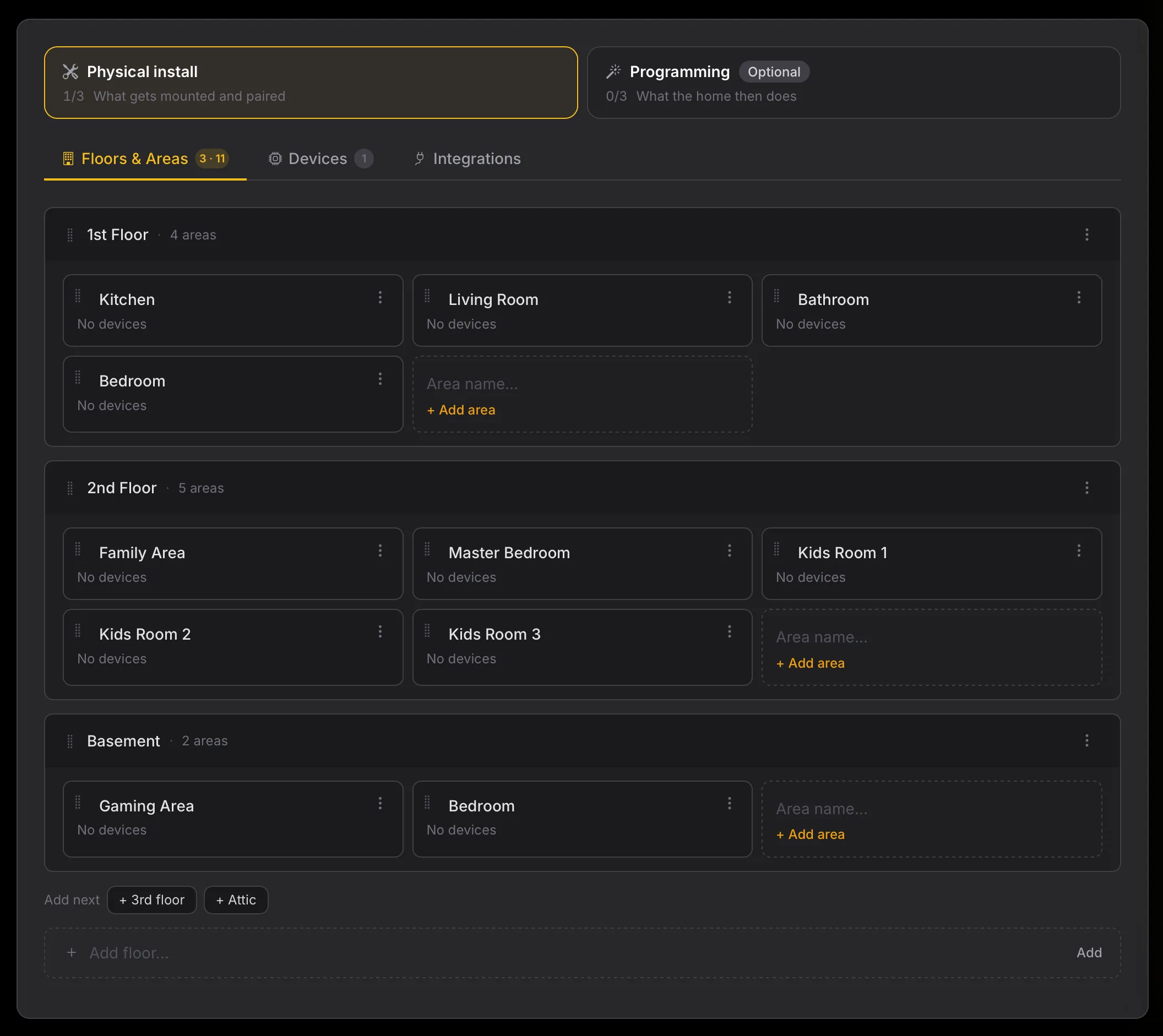
Selora Assistant, in beta, fills in the manifest from plain language. Tell it about the home the way you would brief a colleague, and it proposes the floors, areas, and devices to add. Nothing lands in the manifest until you review the change set and apply it.
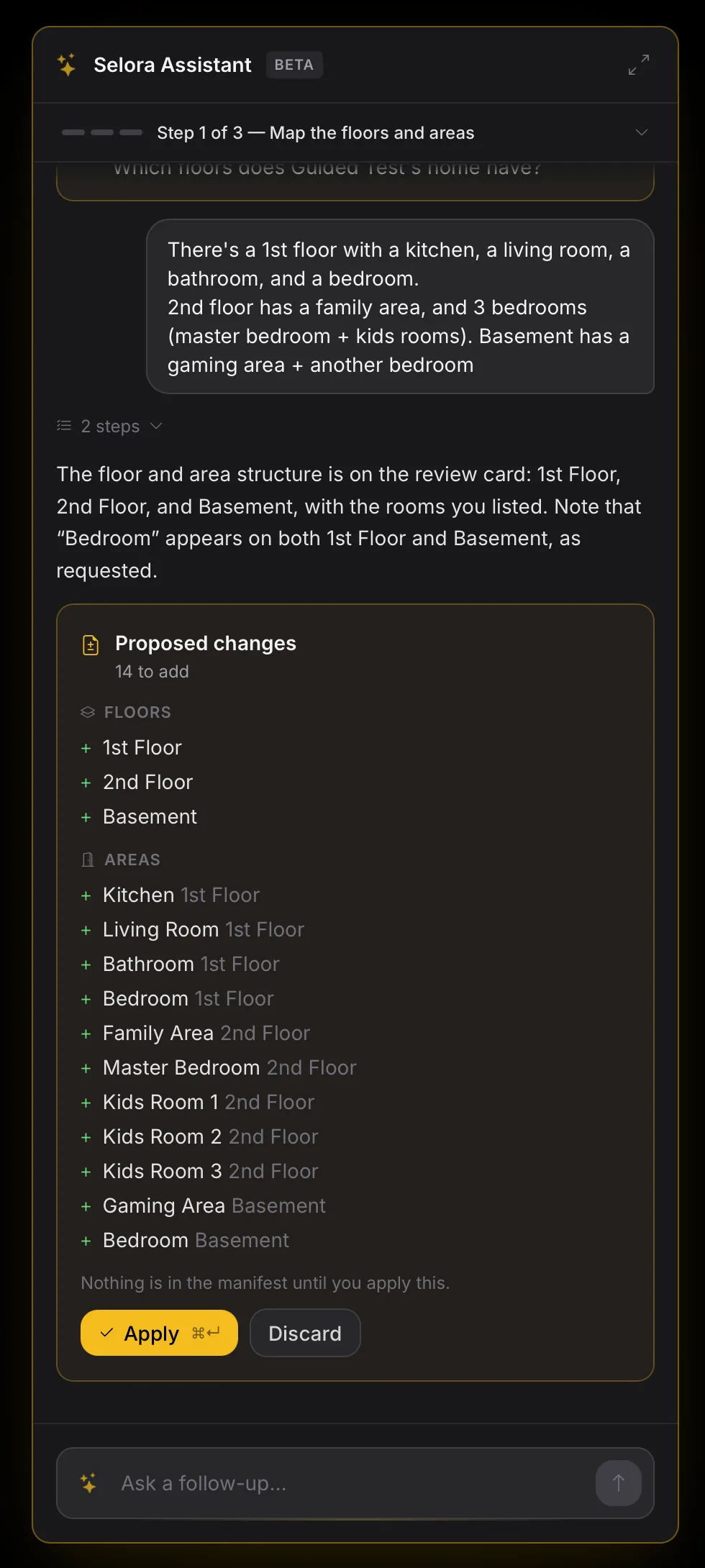
Better still, you have probably already had this conversation. The first call with a homeowner covers the layout, the rooms, and what bothers them about the house today. Paste the transcript of that call, or your notes, and the assistant builds the manifest from it:
Installer: How many floors are we talking about?
Homeowner: Two, plus a finished basement. The kitchen, living room, and an office are downstairs.
Installer: What bothers you most today?
Homeowner: The front door. I want to see who’s there from my phone, and I never know if I locked it.
From a call like that come the floors and areas, a video doorbell and a smart lock at the entrance, and the questions only you can answer, like which lock the homeowner prefers. The hour you spent on the phone becomes the first draft of the plan instead of a page of notes.
Our catalog, and our expertise
Devices come from the Selora device catalog , so the manifest knows each product’s protocol and Home Assistant integration from the moment you add it. When several products fit what you asked for, the assistant shows them and lets you choose.
It also knows what the devices need to work. Add an IKEA smart plug and it points out that the plug pairs over Thread, that nothing in the home speaks Thread yet, and that a border router plugged into the Selora Hub fixes it. The same goes for Zigbee and Z-Wave coordinators and manufacturer bridges.
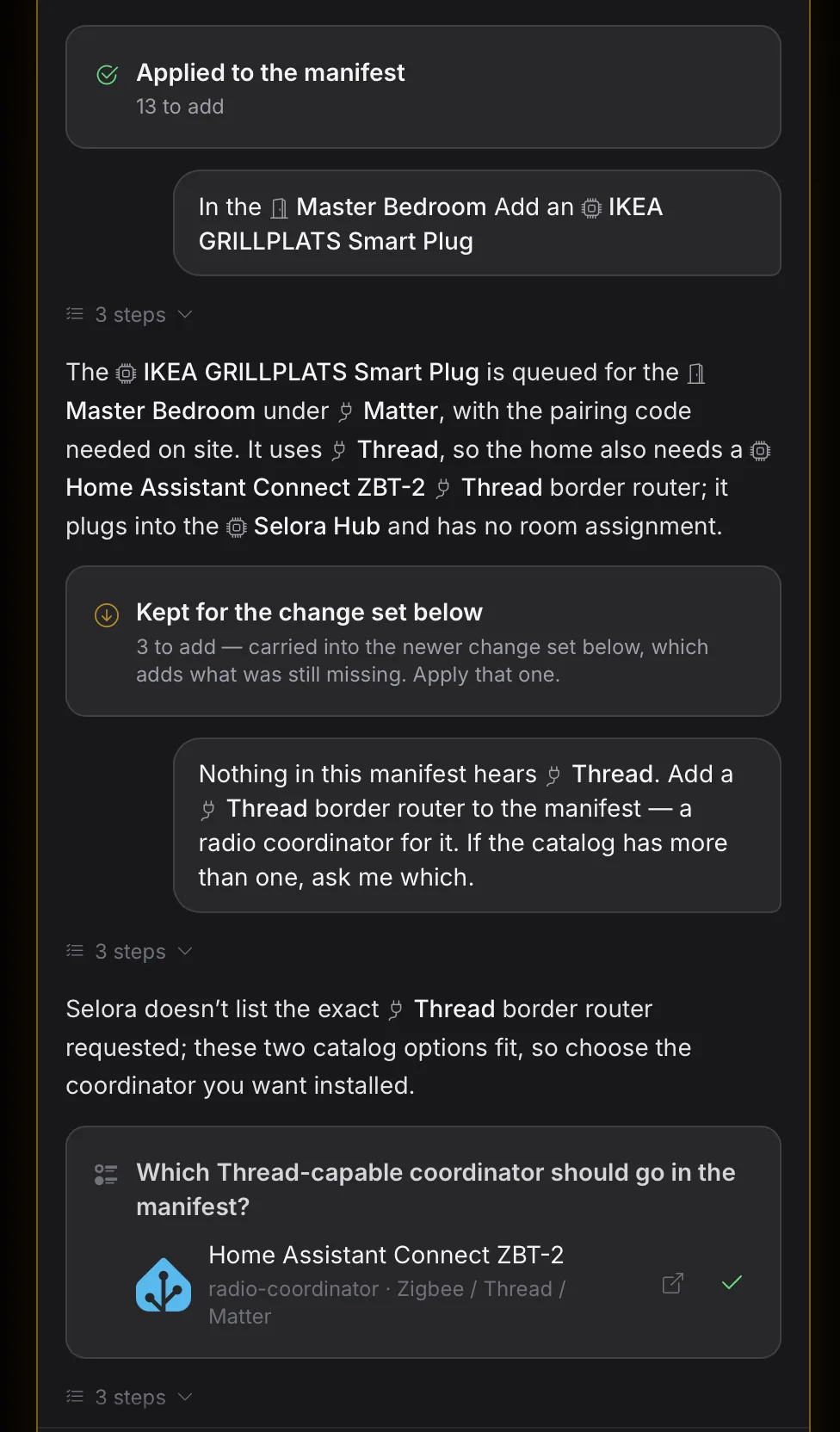
Those checks are the part we care about most. A manifest built with the assistant stays consistent and technically valid: every device has something to pair with, every integration has its requirements listed, and you know who provides each password or account, whether it is you, the homeowner, or Selora.
Everyone on the same page
The homeowner sees the same plan, read-only, from their own project page: room by room, the scenes they will have, what the home will do on its own, and the short list of things we need from them before install day. The disagreements that used to surface during the handoff now surface during design, when changing your mind costs nothing.
And on installation day
The manifest does not stop being useful once the design is done. When you claim a Selora Hub and link it to the project, the manifest becomes the plan for the install. Guided Installations , coming next, will use it to walk the technician through the job: which device goes where, detecting each one as it comes online, and marking it installed. Once the devices are in, Selora AI creates the scenes and automations you planned, directly in Home Assistant. The dashboard is next on that list.
Try it on your next project
Open a project in Selora Connect, click Open Manifest, and describe the home, or paste your last call with the homeowner. The installation manifest guide covers every tab, and Build the Manifest with Selora Assistant covers the assistant.
We want to hear where it gets things wrong, especially the devices it suggests and the questions it asks. Your partner contact at Selora will get your feedback to the team, or write to support@selorahomes.com .