
Ask the Homeowner Before the Site Visit, From the Project
Selora Connect projects can now send questionnaires to the homeowner. Write the questions, preview them, send them, and read the answers next to your messages and files, without a third-party form tool.
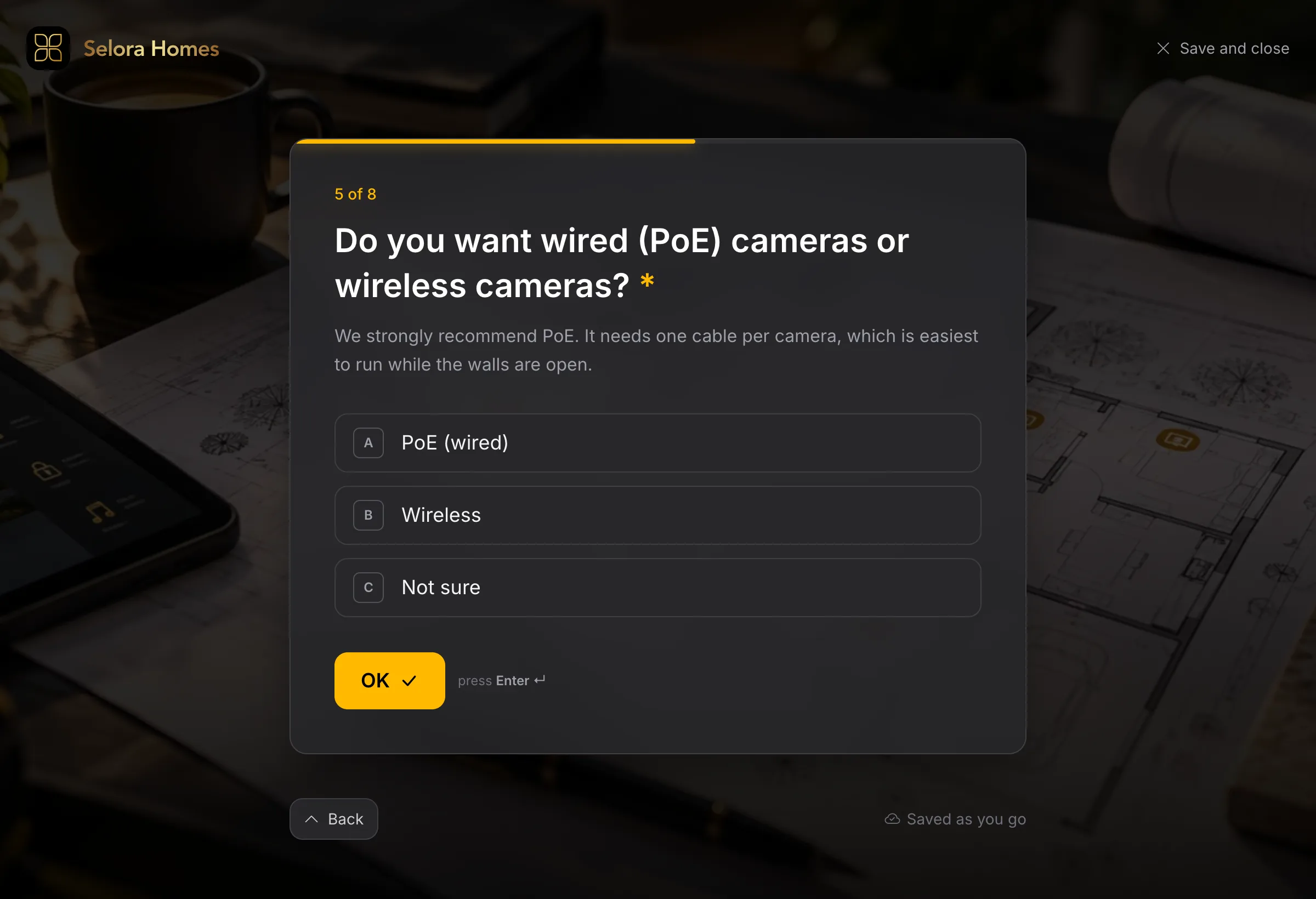
Every install starts with the same round of questions. How many rooms? Is there an alarm panel, and who monitors it? Wired cameras or wireless? Who lives in the house, and what annoys them about it today? Until now, the answers arrived the usual way: a form tool link in an email, a reply thread that grew sideways, or a phone call somebody wrote down on the back of a quote.
Questionnaires are now live in Selora Connect . You write the questions from the customer’s project, the homeowner answers them on a page built for it, and the answers stay in the project, next to your messages and files.
Write once, copy forever
Open the project’s Activity and click Ask questions in the message composer. Start from a blank questionnaire, or copy an earlier one from any project your company works on. Most installers ask the same core questions on every job, so the second questionnaire you send should take a minute, not an evening.
Four question types cover what a pre-install survey needs: short text, long text, one choice, and several choices. Each question can be required, can offer an Other box for the answer you did not think of, and can be asked only if an earlier answer calls for it. There is no point asking which alarm company monitors the house when the homeowner just told you there is no alarm.
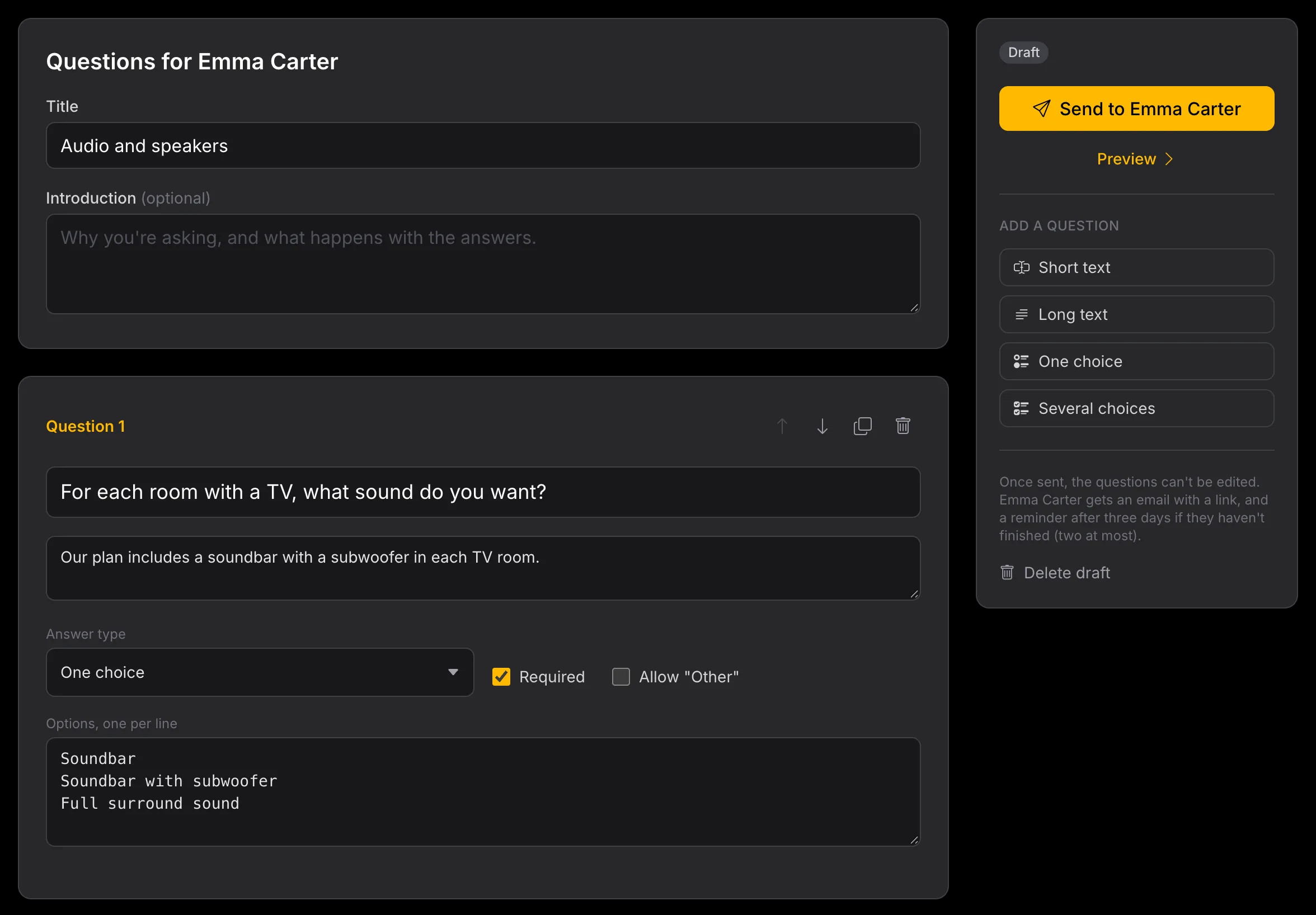
Drafts belong to the project team, not to the person who started them. A colleague can pick up a half-written questionnaire from the project’s Activity, and the homeowner never sees a draft. Click Preview to walk through it exactly as they will, with the conditions applied, before anything is sent.
One question at a time, for the homeowner
The homeowner gets an email with a link. They answer one question per screen, every answer is saved as they give it, and they can stop and come back later to the first question they have not answered yet. A Check your answers screen at the end lets them change anything before they submit.
If they have not finished after three days, Selora Connect sends a reminder, then a second one three days later, and then stops. You do not have to chase, and they do not get nagged.
The page loads no analytics, advertising, or chat scripts. What a homeowner tells you about their house, their alarm, and their family stays in Selora Connect.
The answers are already where you work
Each sent questionnaire shows its progress in the project’s Activity: not started, 3 of 8 answered so far, or all answered. Answers appear as soon as the homeowner gives them, so you can start planning on a partial picture. When they submit, everyone on the project team gets an email.
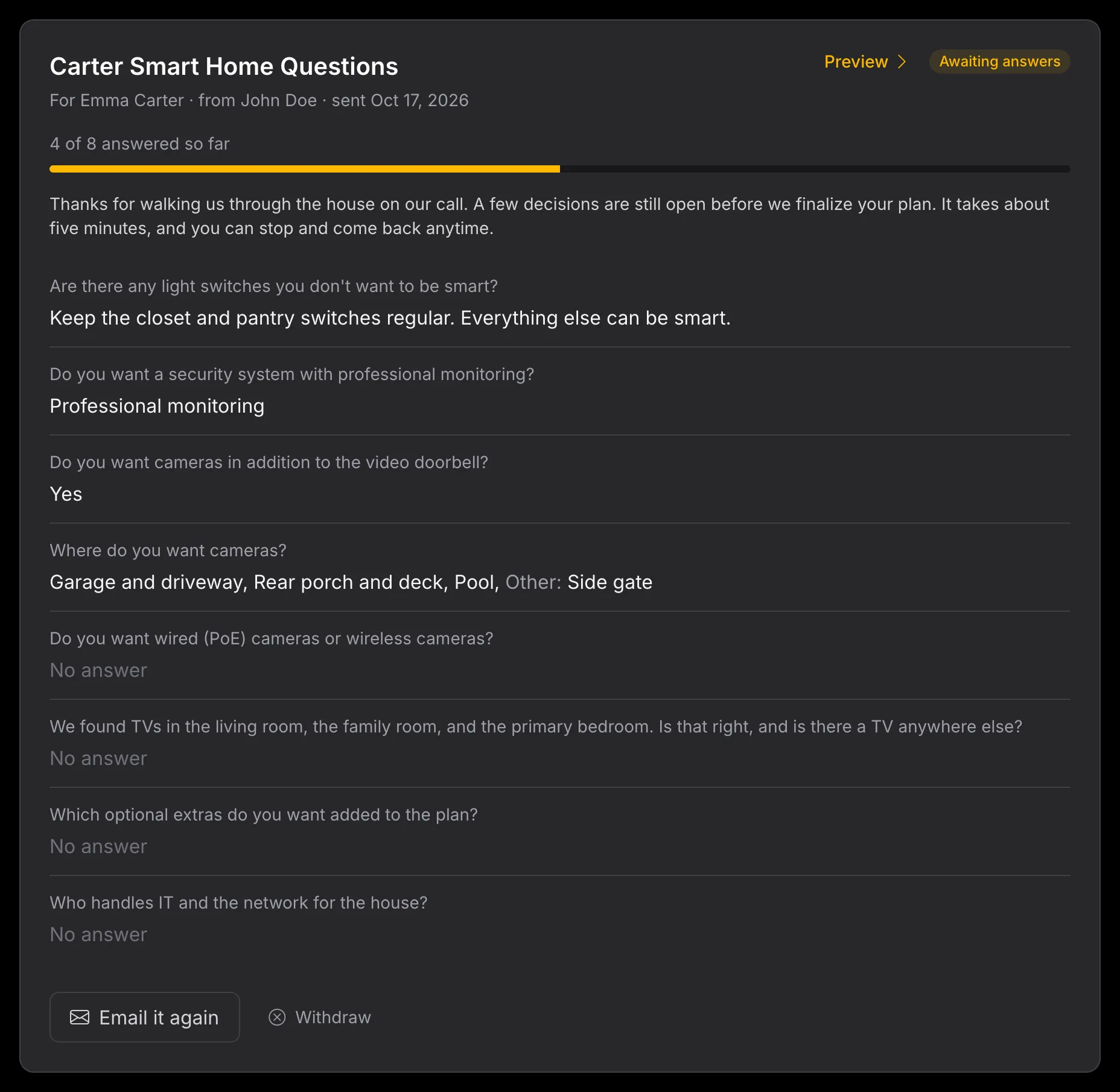
Once sent, a questionnaire cannot be edited, so every answer refers to the question the homeowner actually saw. If you need to change something, withdraw it and send a corrected copy. The answers already given are kept.
The full walk-through, including every status and what the homeowner sees if they have not accepted the project invitation yet, is in Send Questions to the Homeowner .
Tell us what you ask
The question types and conditions cover the surveys installers have shown us, but your questionnaire is the real test. If there is a question you cannot ask the way you want to, such as a photo of the electrical panel, a room-by-room list, or a date for the site visit, we want to hear about it.
Send your first questionnaire on your next project and tell us where it falls short. Your partner contact at Selora will pass it to the team. You can also post it on r/selorahomes or message us on LinkedIn .