
Introducing Selora AI LLM 14B, and Our First Benchmarks
Selora AI LLM 0.6.1 introduces a new 14B model for Selora Hubs with 32 GB of RAM, and publishes how both sizes score on the Home Assistant community's assist benchmark: 84% for the 1.7B, 88% for the 14B.
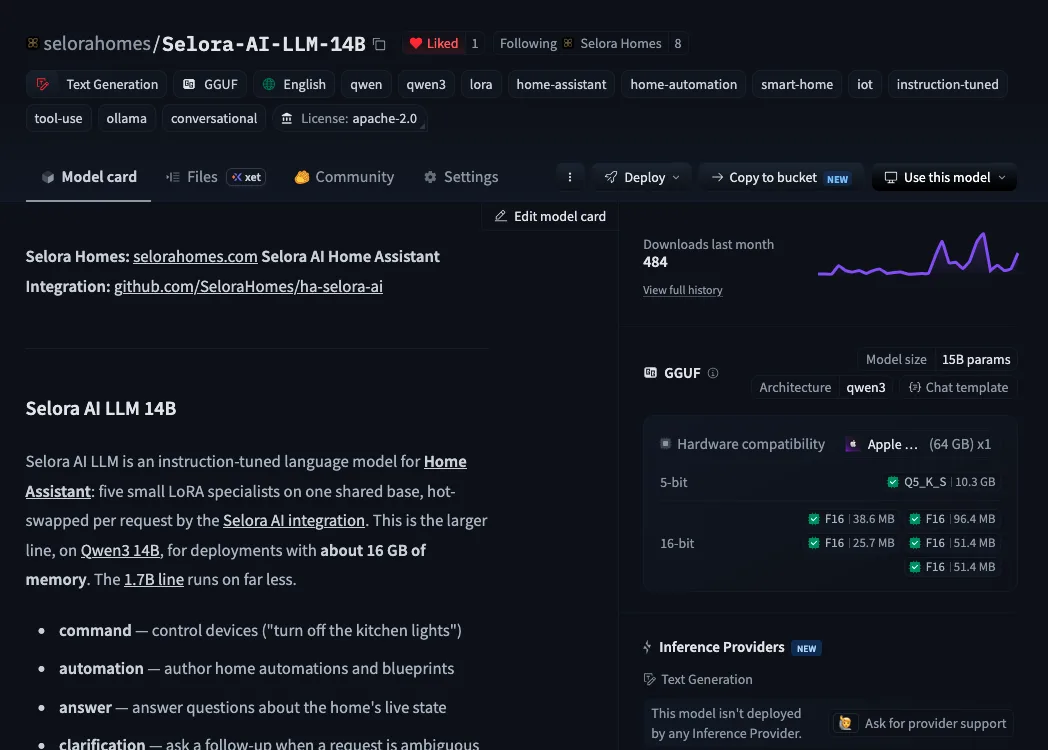
Selora AI Local has been running Home Assistant on your own hardware since Selora AI v0.10.0 , and Selora AI 1.0 moved it to our five-specialist 0.5.0 model. Version 0.6.1 introduces a new, larger model: Selora AI LLM 14B. It is more accurate than the 1.7B, and it is coming to Selora Hubs with 32 GB of RAM, available on larger plans. The 1.7B keeps running on every Hub.
Both sizes are also retrained to read entities from your home instead of guessing them, and to get percentages right.
And for the first time, we publish how the models score. On the Home Assistant community’s assist benchmark, the 1.7B scores 84% and the 14B 88%.
Both models are open, under Apache-2.0.
A new, larger model
Fourteen billion parameters, and none of them phone home.
Like the 1.7B, the 14B stays on your network: commands, questions and home state never leave the house, and nothing stops working when the internet does. To do that, it has to share a box with Home Assistant.
- 1.7B is a 1.6 GB base plus five adapters of 10 to 40 MB each. It runs on every Selora Hub, including the standard 16 GB one.
- 14B, new in this release and built on Qwen3 14B, is for more headroom. It will ship on Selora Hubs with 32 GB of RAM, which come with larger plans. It is more accurate than the 1.7B, most of all when the model decides on its own: 85.7% on home questions against 70.3%.
What changed in 0.6.1
Both models are retrained on a corpus that closes the two gaps behind most of the 1.7B’s mistakes on device requests:
- Entities are read, not guessed. Asked for the backyard light, the
model used to spell
light.backyard_lightfrom the name, when the real entity waslight.garden_light, and the integration refused it. The training homes now include renamed devices, model-number ids, second units and owners’ names, so the model takes the id from your home’s entity list. - Percentages mean percentages. “50% brightness” used to set the light to 20%, and “volume to 50%” set it to 90%. Brightness and volume now land where you asked, mute and unmute work, and “resume” or “unpause” restarts paused media.
Five specialists, one base
As a reminder of how it works: instead of one model that does everything a little, Selora AI LLM is one shared base with five small LoRA specialists, each trained for one job:
- command controls devices: “dim the bedroom to 30%”.
- automation writes automations and blueprints: “when the front door opens after 10pm, turn on the porch light”.
- answer answers questions about the home: “is the laundry running?”.
- clarification asks back when a request is genuinely ambiguous.
- utilities gives setup and troubleshooting help, grounded in Home Assistant’s documentation and citing it.
The Selora AI integration picks the specialist for each request, and the runtime switches to that adapter without reloading the base. The specialist replies with one small JSON object, never prose, and the integration carries it out in your home.
The model never reads or invents device state. Asked “is the bedroom light on?”, it replies with a template and the entity to look up, and the integration fills in the live value:
{ "q": ["light.bedroom"], "r": "The bedroom light is {light.bedroom}." }
That split removes a whole class of hallucinations, keeps replies short and fast, and lets each specialist do one thing well.
For runtimes that cannot swap adapters, the five are also merged into a
single fused model, selora-ollama, that routes between them with a
system prompt.
How well it does
We measure on allenporter/home-assistant-datasets , the open suite behind the Home Assistant LLM leaderboard, over every case at temperature 0. With the integration, the 1.7B handles 84% of the assist benchmark’s device requests and every assist-mini case. The 14B reaches 88%.
| Build | assist (460) | assist-mini (196) | questions (370) | automations (20) |
|---|---|---|---|---|
| 1.7B, with integration | 84.3% | 100% | 94.6% | 100% |
| 1.7B, model only | 74.3% | 93.9% | 70.3% | 100% |
| 14B, with integration | 88.0% | 100% | 94.6% | 100% |
| 14B, model only | 80.4% | 95.9% | 85.7% | 100% |
| 14B fused, with integration | 82.4% | 100% | 91.6% | 100% |
| 14B fused, model only | 65.9% | 87.8% | 59.5% | 100% |
The number after each dataset is its case count.
The adapters beat the fused build everywhere, most of all on questions:
if your runtime can swap adapters, use them. automations checks that
each generated blueprint loads in Home Assistant with every requested
input wired. It does not run it.
How we keep the numbers honest
We publish two numbers per dataset because one would flatter us. The integration answers some requests deterministically, straight from your sentence. That is the right thing to ship, and it also inflates a score.
- With integration is close to what you get at home.
- Model only switches those shortcuts off, so every turn is the model’s own decision. It is the number a retrain moves.
- A control run pairs the integration with a stub that never acts. It sets the floor: 77% on assist and 46% on questions come from the integration alone, so read the model’s contribution against that, not against zero.
Every score carries a 95% confidence interval, and the integration version the benchmark runs against is pinned, so a change in the bar cannot pass for a change in the model.
The benchmark is also the release gate. A new version is trained, converted and benchmarked in CI, and it ships only if no dataset regresses against the last release. That gate caught the fused 14B asking questions back instead of answering them, which is why 0.6.1 shipped with the fix.
Try it
Selora Hub customers have nothing to install: turn on Selora AI Local from your Selora Homes account .
For a quick taste on your own machine, one line of Ollama is enough:
ollama run hf.co/selorahomes/Selora-AI-LLM-1.7B-ollama:selora-ollama.Q6_K.gguf
ollama run hf.co/selorahomes/Selora-AI-LLM-14B-ollama:selora-ollama.Q5_K_S.gguf
That is the fused build, and it replies in the raw JSON described above.
To have it actually run your home, install the
Selora AI integration
and
point it at the adapter bundle served by llama-server, which is what the
Selora Hub runs. The
Selora AI Local guide
walks
through the setup.
- Selora-AI-LLM-1.7B : base, five adapters and setup guide
- Selora-AI-LLM-14B : the same for the 14B
- Fused builds: 1.7B , 14B
What’s next
The 14B rolls out to Selora Hubs with 32 GB of RAM, and every release keeps going through the same benchmark gate. Tell us what it gets wrong in your home by opening an issue : failures from real homes are what the next training corpus is built from.