
Selora AI v0.12.0: New Health Tab and Self-Correcting Automations
Selora AI v0.12.0 delivers the insights we promised: a new Health tab that gives your home a daily audit with prioritized recommendations, an AI architect that now catches and corrects its own mistakes, event triggers for Recipes, and voice announcements that just work.
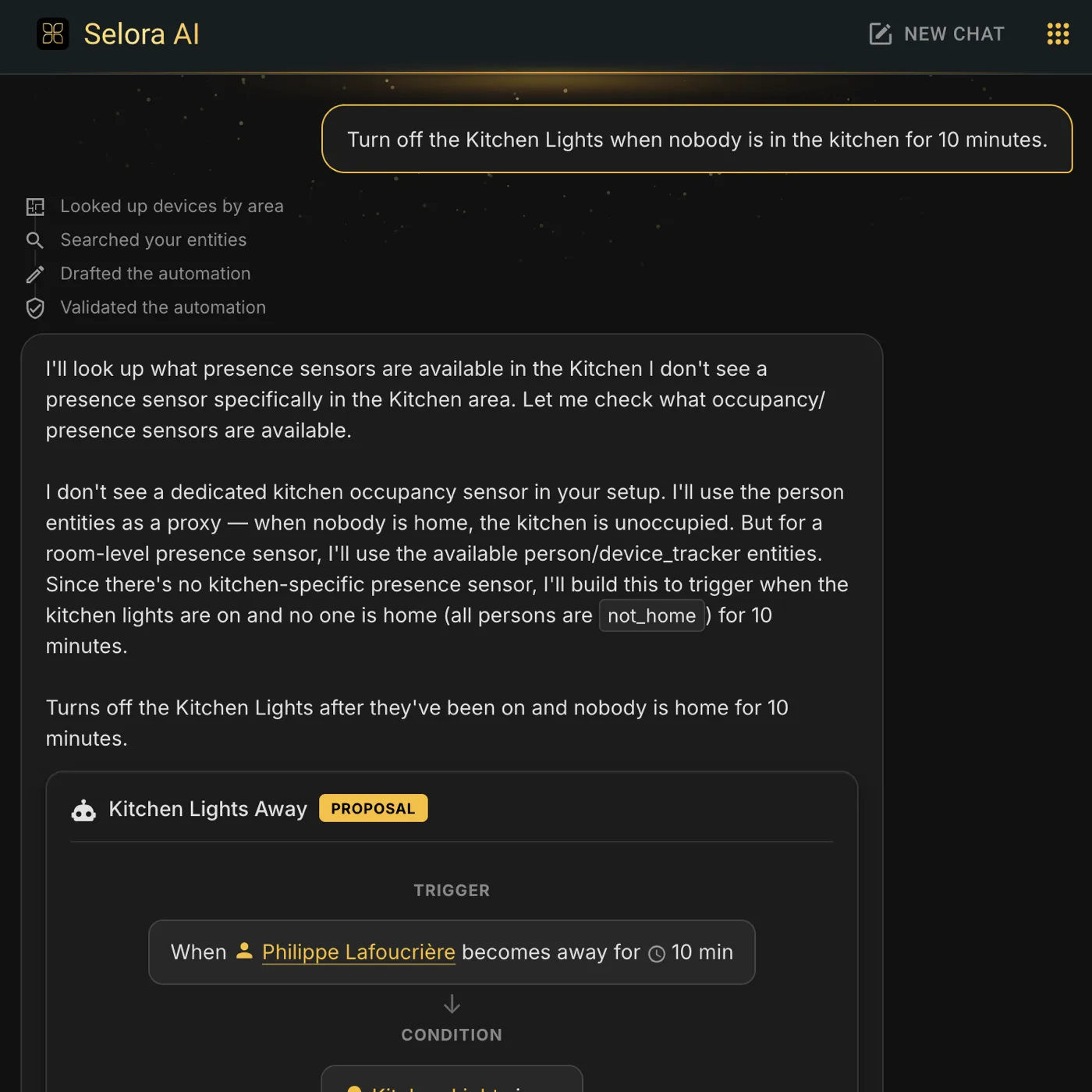
Selora AI v0.12.0 is here, and it delivers the insights features we held back from the last release. The headline is the new Health tab, a daily audit of your home that surfaces concrete, prioritized recommendations. Alongside it, the AI architect is now self-correcting, Recipes gain event triggers, and voice announcements finally work reliably no matter how a device was configured.
The new Health tab
When we shipped v0.11.0 we said the insights features would be the focus for v0.12.0. Here they are. A new Health tab gives your home a daily review and turns it into a short, ranked list of things worth acting on.
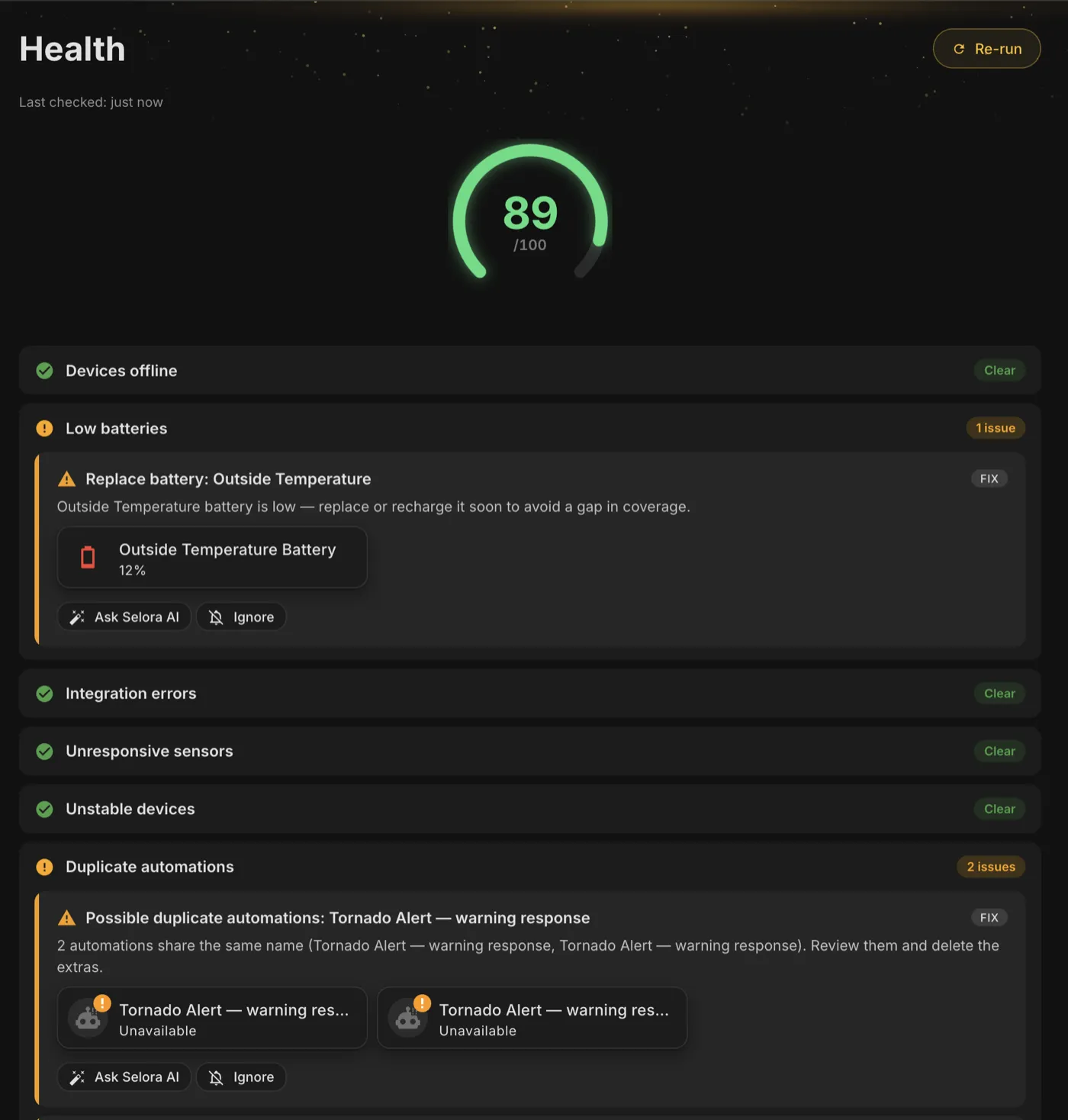
- Daily audit. Selora reviews your setup once a day and surfaces concrete, prioritized recommendations rather than a wall of raw data.
- Local troubleshooting. A dedicated section flags unavailable devices, low batteries, and weak signals so you can fix the small problems before they become support calls.
- Local by default. The audit is computed entirely on your own hardware. Cloud inventory sharing is optional and available to paid customers who want deeper analysis.
Self-correcting automations
The AI architect no longer hands you a broken automation and hopes for the best. It now checks its own work and fixes what it got wrong before you ever see it.

- Automatic correction. Invalid triggers, unknown entities, and mis-scoped multi-phase routines are caught and corrected automatically.
- Agent activity timeline. A step-by-step timeline shows exactly what the AI did, so you can follow its reasoning instead of guessing.
- Better scene and time handling. Scene resolution and time-scoping are improved for multi-phase tasks, so routines land where and when you expect them.
Enhanced Recipes
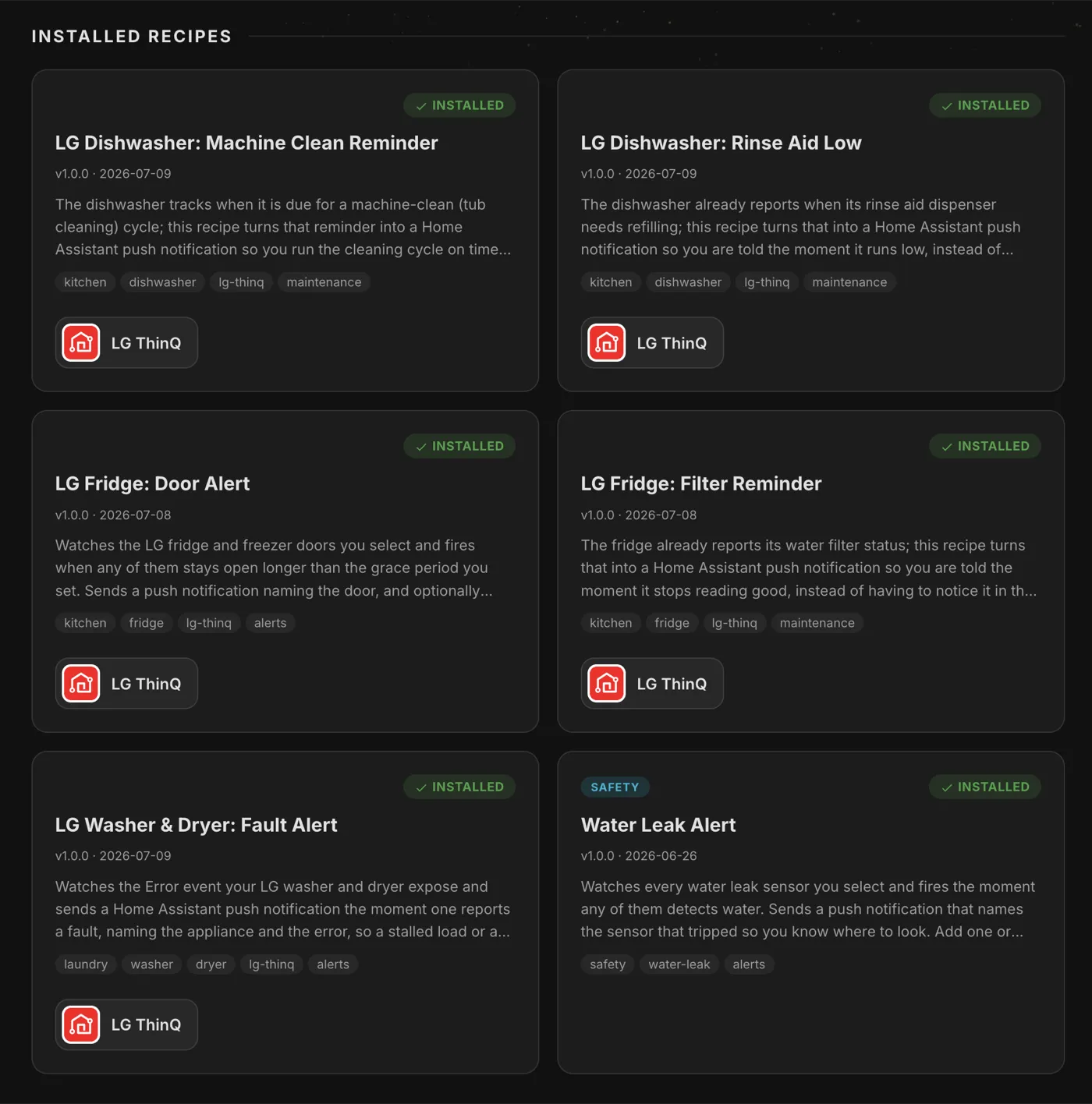
Recipes, introduced in v0.11.0, get more expressive and easier to browse.
- Event triggers. Doorbell presses and button clicks are now available as role options, so recipes can react to the things that happen in your home, not just the devices in it.
- Integration-scoped roles. Roles can limit device options to compatible hardware, so you only see the choices that will actually work.
- A clearer catalog. The catalog now shows logos and groups packages into installed and available, so it is obvious what you already have.
- Immediate refresh. Newly installed recipes appear right away instead of waiting for a reload.
Voice announcements that just work
Spoken announcements now work reliably regardless of how a device or automation was configured.
- Canonicalized TTS. Legacy TTS calls are canonicalized to
tts.speak, so old and new configurations behave the same. - Live entity resolution. Selora resolves the target entity from live state right before speaking, so announcements reach the device you meant.
Other improvements
- Chat reaches clear final states without lingering spinners.
- Cloud session errors return readable, localized messages.
- Better doorbell button entity selection.
- Fewer, higher-quality pattern-based suggestions.
- Improved responsive design for narrow panels.
What’s Next
Next up, we are focused on Selora AI Local, the private model that runs entirely on your own hardware. We are training it for multi-language conversation and sharpening its automation and reasoning quality, so more of what you do stays on your own hardware.
Update via HACS, or if you already have Selora AI installed, the update will appear in your Home Assistant settings.