
Selora AI v0.13.0: Household Memory and a Sharper Health Dashboard
Selora AI v0.13.0 teaches Selora about the household it manages, rebuilds the Health dashboard around scoring you can act on, and brings image attachments, deletion tools, and fuzzy search to chat. The project is now MIT licensed.
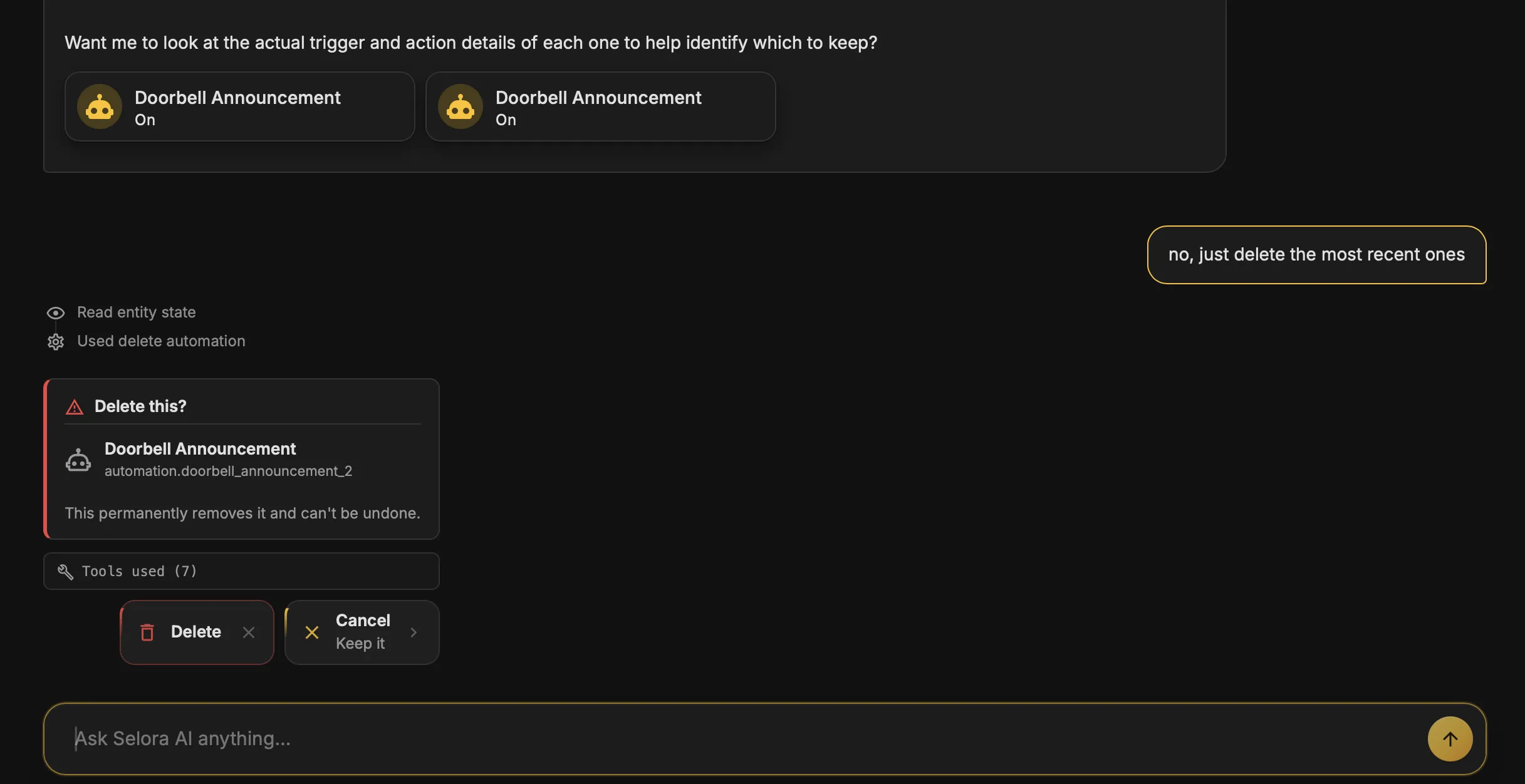
Selora AI v0.13.0 is here, and it focuses on three things: giving Selora lasting context about the home it manages, making the Health dashboard a tool you act on instead of a number you glance at, and rounding out chat with the features people kept asking for. This release also marks the move to MIT licensing.
Selora’s Memory
Selora now remembers the household it works for. A new settings card lets you store up to 2,000 characters of context: who lives there, their schedules, their preferences, and the constraints your automations need to respect.
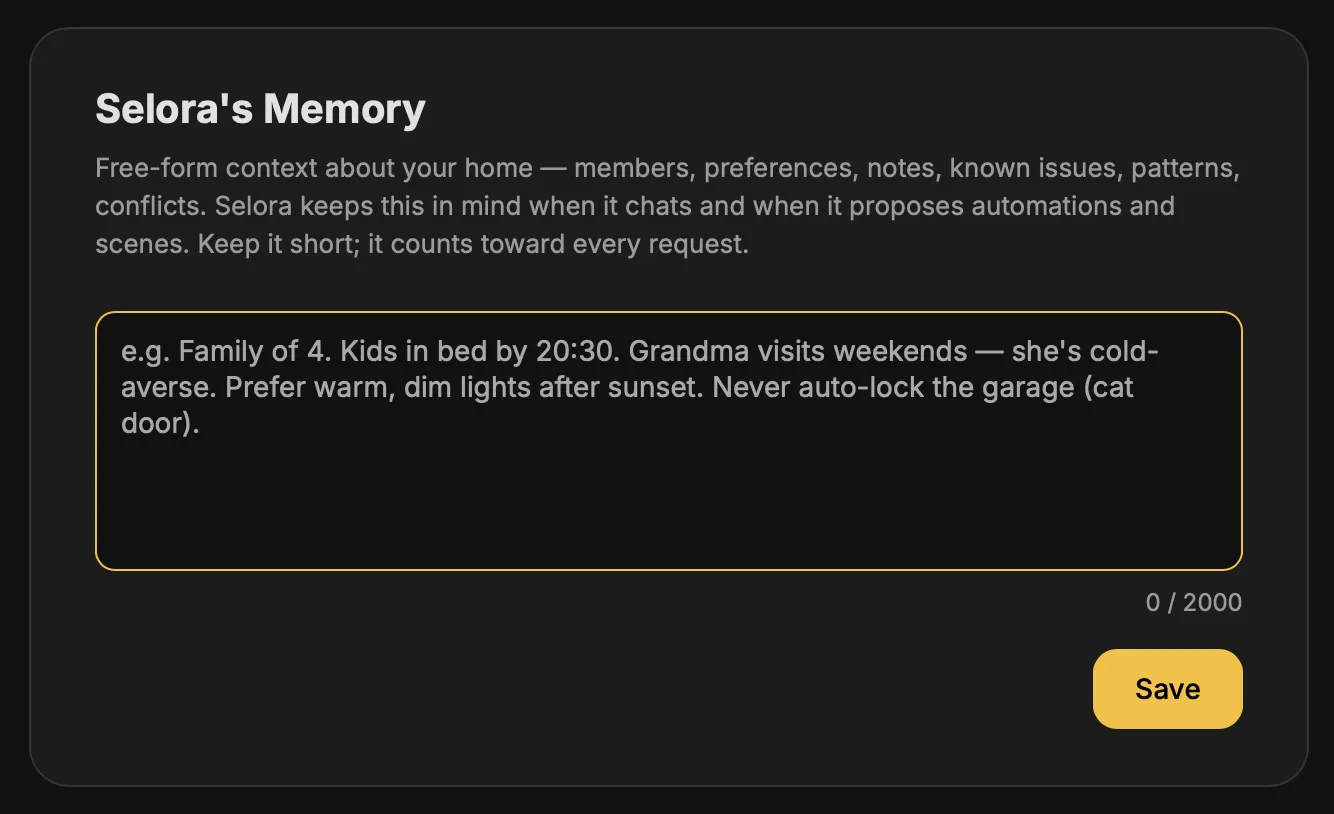
- Context that persists. The details you save prepend to both chat and automation prompts, so Selora stops asking the same questions and starts building routines that fit the household.
- Safety stays first. Household context informs Selora’s decisions, but it never overrides the safety rules that govern what an automation is allowed to do.
For installers, this means you can hand over a system that already understands the client, rather than one that has to be re-explained on every request.
A redesigned Health dashboard
The Health dashboard introduced in v0.12.0 grows up. The score is now explainable, proportional, and consistent with the sensor your automations rely on.
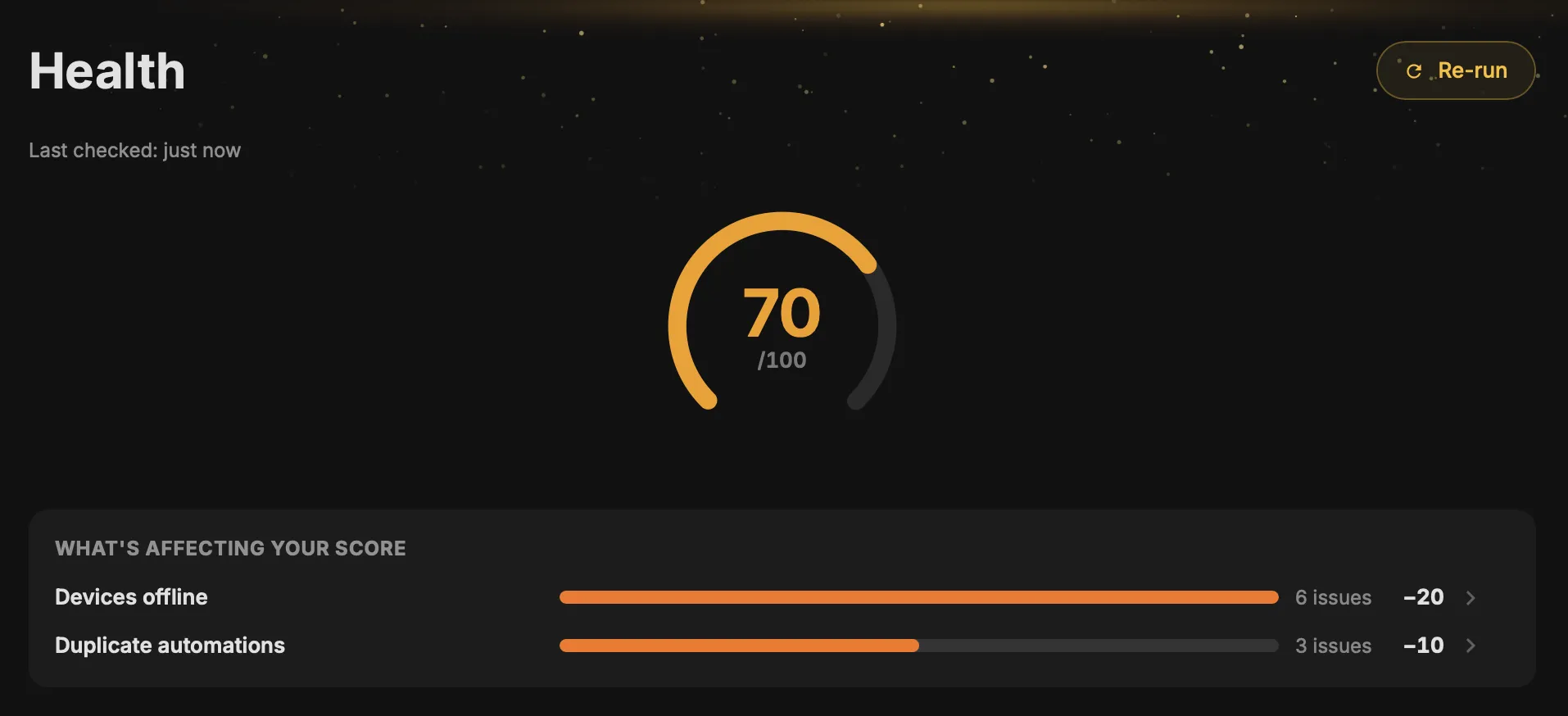
- Score breakdown. A new breakdown card shows which checks are moving the score the most, so you know what to fix first.
- Proportional outage scoring. Device-outage impact now scales with the share of devices affected, instead of treating one offline device the same as ten.
- Specific error detail. Integration errors report the actual failure, not a generic warning.
- Boot grace period. A 90-second startup window prevents an inflated score while the system is still coming up.
- Sensor parity. The Health sensor now mirrors the panel’s calculation exactly, so dashboards and automations agree on the same number.
Chat enhancements
Chat gains the capabilities people asked for most.
- Image attachments. Attach up to four images per message. Images are downscaled on the client and have their EXIF data stripped before anything leaves the device.
- Delete tools. Selora can now delete automations and scenes, each behind a confirmation dialog so nothing disappears by accident.
- Fuzzy search. The conversation sidebar has fuzzy search, so finding an earlier chat no longer means scrolling.
Clearer automation diagrams
Automation diagrams are substantially easier to read.
- Expanded if / then / else branches show the full logic at a glance.
- Condition headers group and label what triggers each path.
- Templates render in plain language instead of raw syntax.
- Disabled steps are now visible, so nothing hides silently.
Bug fixes
- Automations keep their state correctly during refinement.
- The risk gate can no longer be bypassed.
- Selora Cloud sessions self-heal after an error.
- Scene deletion targets the right scene every time.
- MCP server registration is now idempotent.
- Health-audit disk writes are down roughly 75 percent.
Breaking changes
Please read before updating:
- Health sensor attributes have been restructured. If you reference them in dashboards or automations, review those references after updating.
- Your health score may drop without anything changing in the home. The new scoring is stricter and more honest, so a lower number reflects the method, not a regression.
- Some mobile toggles have moved. Expect a slightly different layout on small screens.
Update via HACS, or if you already have Selora AI installed, the update will appear in your Home Assistant settings.