
Selora AI v0.7.0: Scenes, Scheduled Actions, and OpenRouter
Selora AI v0.7.0 lets you create scenes and schedule actions through natural language, accept or dismiss suggestions conversationally, and connect to any LLM via OpenRouter.
Selora AI v0.7.0 is out. This is a big one – four major features that make Selora AI significantly more capable and more conversational.
Scenes via Natural Language
You can now describe a scene in plain language – “make a movie scene” or
“set up dinner mode” – and Selora AI generates it for you. Created
scenes are prefixed with [Selora AI] and control entities across
lighting, media, climate, and covers.
A dedicated Scenes tab lets you browse, rename, and delete your generated scenes.
Scheduled Actions in Chat
Natural language scheduling now works end-to-end. Tell Selora AI “turn the porch light off in 30 minutes” and it will parse the duration, schedule the action, and persist it across Home Assistant restarts.
No more creating helper automations for simple delayed commands.
Conversational Accept/Dismiss for Proactive Suggestions
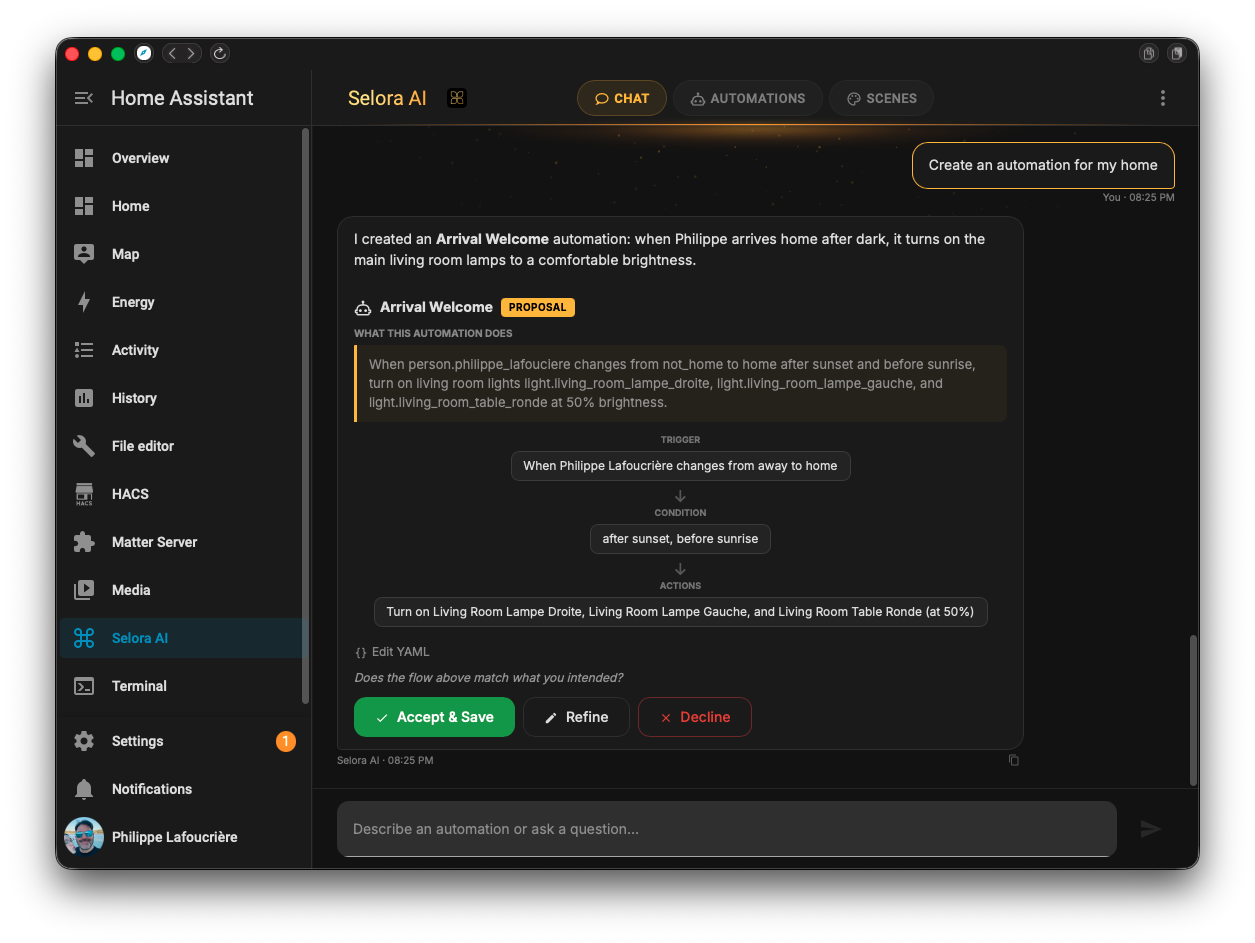
When Selora AI surfaces a pattern-based suggestion in chat, you can now reply in plain language – “yes, set that up” or “no thanks, I already have this” – and the assistant acts on it directly. Previously this took a detour to the suggestions panel to click Accept or Dismiss.
Accepted suggestions still create the automation disabled with a
[Selora AI] prefix for review, run through the same risk assessment,
and dismissed ones won’t re-surface.
OpenRouter LLM Support
Selora AI now integrates with OpenRouter, giving you access to multiple model providers – Claude, GPT, Gemini, Llama, Mistral, DeepSeek – through a single API key. Configure it in Settings alongside the existing direct provider options.
UX Improvements
- Redesigned mobile navigation with a streamlined panel header
- Sun trigger offsets now display as readable text instead of raw seconds
Bug Fixes
- Refinement chat maintains context across multiple turns
- Mobile keyboard no longer obscures the chat input field
- Device onboarding stabilized for multi-step integrations
- Concurrent
automations.yamlwrites are now serialized to prevent data loss
What’s Next
We’re working on two big initiatives for the next releases:
- Local models: the first iteration of our in-house models designed to run locally with Selora AI. This will ship alongside a new Home Assistant companion app, giving you a fully offline-capable AI butler.
- Insights: a new feature that surfaces what our models are observing from your home usage patterns – helping you understand your home better and discover automation opportunities you might have missed.
Update via HACS, or if you already have Selora AI installed, the update will appear in your Home Assistant settings.