
Selora AI 1.1: Bring Back What You Deleted, and Let Chat Finish Your Sentence
Selora AI 1.1 keeps deleted automations and scenes for 30 days so you can restore them, suggests device groups from how your home is laid out, predicts your next chat message, and forecasts when batteries will run out.
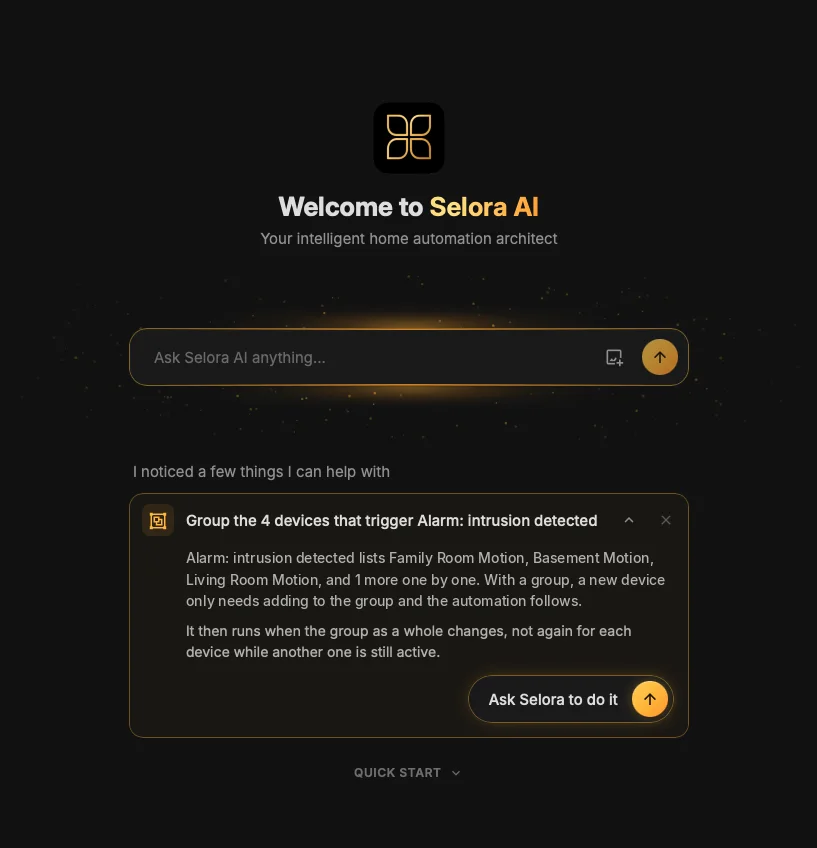
Selora AI 1.1 builds on Selora AI 1.0 . Deleting an automation is no longer final, Selora points out devices that belong together, and the chat now suggests what you are likely to ask next, as we promised two weeks ago.
Restore deleted automations and scenes
Deleted automations and scenes are now kept for 30 days. They appear under a new Recently deleted tab on the Automations and Scenes pages, and Restore puts them back exactly as they were. A Selora automation also gets its full version history back, so you can still see and restore any earlier version.
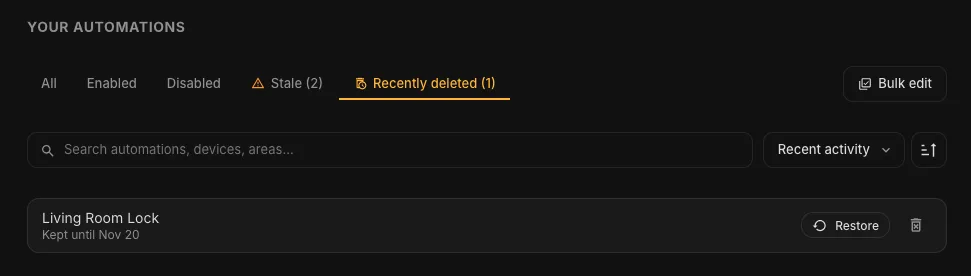
You can also ask in chat: “bring back the porch lights automation I deleted yesterday”. Selora AI finds the matching items and shows each one in a card, with what it does and when it was deleted. Nothing comes back until you press Restore, so when several deleted automations share a name, you pick the right one.
The tab only shows while something is in it, and Delete forever is there when you really mean it.
Grouping suggestions
Selora now looks at how your home is organised and suggests changes that keep it tidy:
- A new device joins its group. If a group or an automation covers every leak sensor in the home, and you add a new one, Selora suggests adding it too.
- Long lists become groups. When an automation is triggered by three or more devices of the same kind, Selora suggests a group, so the automation targets one entity and you manage the members in one place.
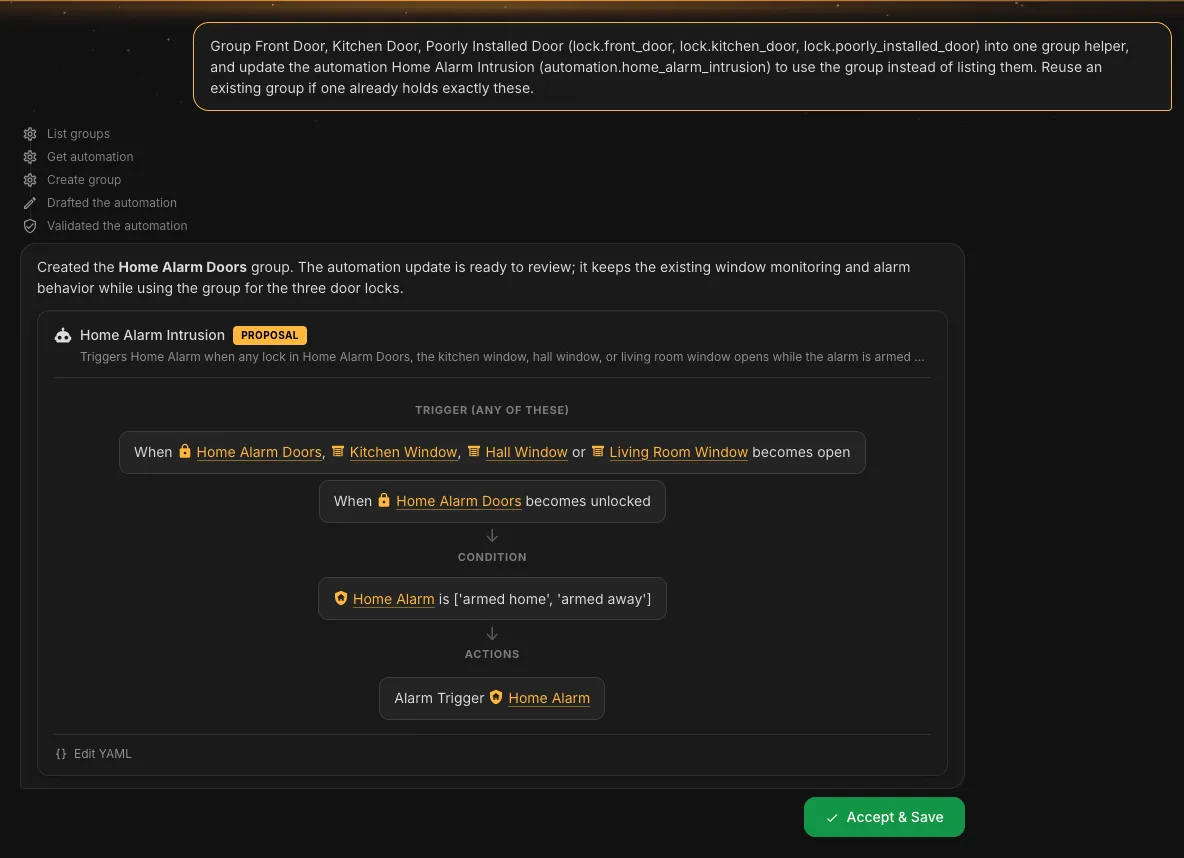
Suggestions appear on the chat home, like the one at the top of this post. Open one to see why Selora suggests it and what it would change. Acting on it starts an ordinary chat request, so you review every change before it is saved, and you can dismiss any suggestion you don’t want.
Here, Selora AI groups three door locks into a Home Alarm Doors group and proposes the updated Home Alarm Intrusion automation, which now triggers on the group instead of each lock.
Chat suggests your next message
When Selora AI replies, the composer now shows the message you are most likely to send next. Press Tab or → to use it, or tap the pencil on a phone. It never sends on its own, and when Selora AI is not confident about what comes next, it stays quiet.
Next-message suggestions are on by default with hosted providers and off with Ollama, since every guess uses your own hardware. You can change it in the settings.
A few smaller changes make the chat feel more continuous:
- Your draft is kept. Text you haven’t sent stays in the composer when the page reloads.
- Renaming an automation is instant. Ask in chat and it is renamed, without a proposal card to accept.
- The composer keeps its glow for the whole conversation, not only on a new chat.
Battery forecasts for installers
Selora AI now estimates when each replaceable battery in the home will run out, based on its history. Phones and other rechargeable devices are left out, and a battery that was just replaced starts a fresh estimate.
The forecasts appear on the installation page in Selora Connect , soonest first, from “Within 2 weeks” to “~Mar 2027”. An estimate built on little history is marked as rough. Installers can replace batteries on a visit they already planned, instead of driving out when a sensor goes quiet.
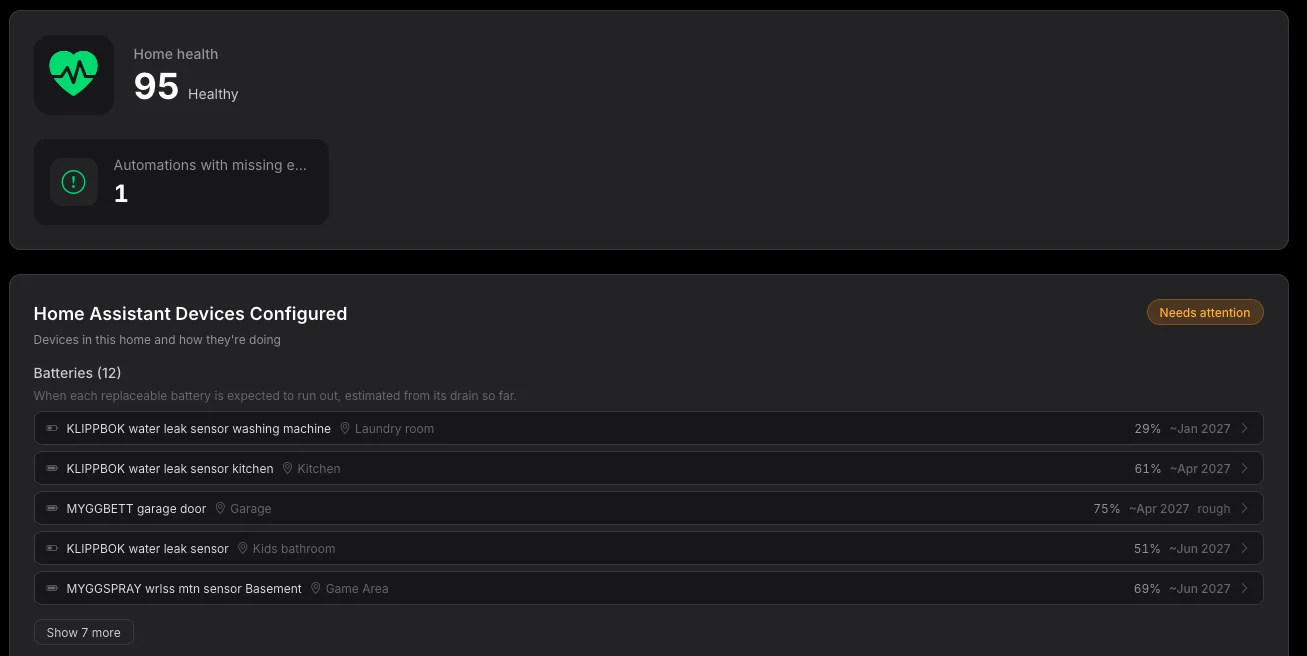
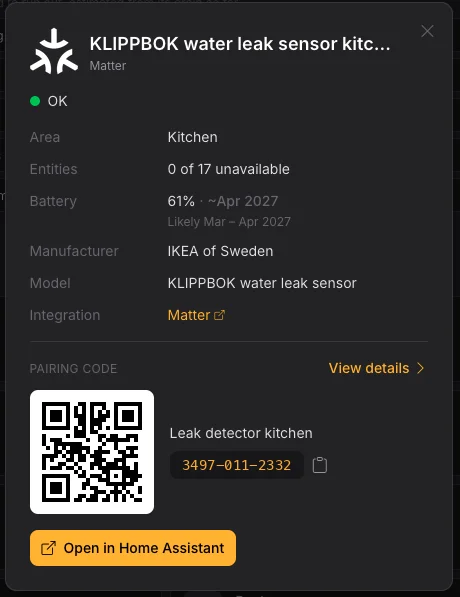
Open a device to see its battery level next to the forecast, with the likely range of months.
Fixes
- The recipe wizard now works on phones ( 3c5950a ).
- Automations installed by recipes show what they do ( 94209c5 ).
- Sensors that report steady values are no longer flagged as unresponsive ( ba7ee57 ).
- The assistant now knows which of its proposals you accepted ( 31867cf ).
- The weather entity is included when the assistant answers weather questions ( 92554ff ).
- Empty chat sessions are hidden and cleaned up ( 46a33f6 ).
- File reads and writes no longer slow down Home Assistant ( 58ff0c0 ).
- Selora no longer reads device fields that Home Assistant has deprecated ( 852ff03 ).
- Selora AI Local is updated to model release 0.6.1 ( 24a7ec6 ).
What’s next: Frigate
The next release focuses on Frigate , the open source video recorder with real-time object detection. We are bringing it to Selora as a managed service, installed, configured and updated for you on the hub. People, vehicles and objects are detected locally, without sending video to the cloud, and home automation and cameras are managed from the same place.
Compatibility
The minimum Home Assistant version is unchanged at 2025.1.0.
See the full release notes for every change.
Update via HACS, or if you already have Selora AI installed, the update will appear in your Home Assistant settings.