
Selora AI Local
Selora AI Local is Selora's fine-tuned model for Home Assistant that runs entirely on your own hardware for optimal privacy.
What is Selora AI Local?
Selora AI Local is Selora’s own model, fine-tuned specifically for Home Assistant. It understands entities, areas, automations, and the way Home Assistant is configured, so it produces relevant automation suggestions and natural-language responses without relying on a general-purpose cloud model.
Because it runs entirely on your own hardware, it is the best option for optimal privacy: your device names, entity states, and automation text never leave your home network, and Selora AI keeps working even without an internet connection.
The model is published on Hugging Face: selorahomes/Selora-AI .
Why run locally?
- Optimal privacy: nothing is sent to Selora Homes or any third party. All inference happens on your machine.
- Works offline: no internet connection required once the model is downloaded.
- No per-request cost: no API keys, no credits, no usage billing.
- Tailored to Home Assistant: fine-tuned on Home Assistant configuration and automation patterns rather than general web text.
Setup
Selora Hub users
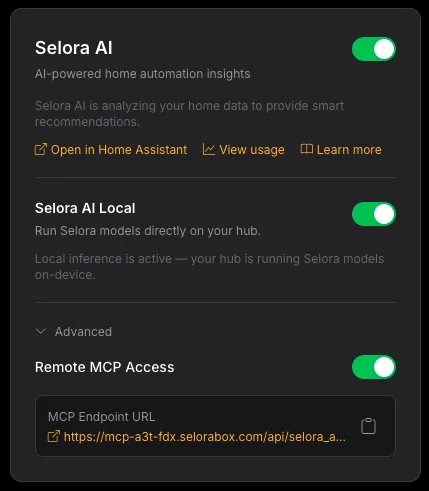
Selora Hub runs Selora AI Local for you. Enable it from your Selora Homes account , with no separate download or server setup required.
Self-hosted
Requirements:
- A machine on your local network capable of running the model (a modern CPU works; a GPU significantly improves response speed).
- llama.cpp running as a local server, reachable from your Home Assistant host.
- Home Assistant with the Selora AI integration installed (see Installation ).
Steps:
- Build or install llama.cpp on a machine reachable from Home Assistant.
- Download the Selora AI model and serve it with the llama.cpp server.
- In the Selora AI integration, choose the local backend and point it at your llama.cpp server URL and the Selora AI model name. See the local backend settings under Configuration .
For full privacy details across every backend, see Privacy & Support .
Last modified September 9, 2026: fix: brighten dimmed accent icons to full amber (a25ff6e)