
Selora AI
Enable Selora AI on your Selora Hub to get AI-powered automation suggestions and insights directly in Home Assistant.
Selora AI adds an intelligent layer to your Selora Hub — personalized automation suggestions, smart insights, and natural language control, all running directly inside Home Assistant.
Who can enable Selora AI?
- Homeowners can toggle Selora AI on or off from their Selora Homes account.
- Installers with access to the installation can also enable or disable it on behalf of the homeowner.
Enabling Selora AI
- Log in to your Selora Homes account .
- Open your hub’s Overview.
- Find the Selora AI card and toggle the switch to on.

Toggle Selora AI on or off from the Selora AI card.
Once enabled, your Selora Hub will automatically:
- Install HACS (Home Assistant Community Store), if not already present.
- Install the Selora AI integration via HACS.
Confirming the installation
Once the installation completes, you will see a new Selora AI entry in the Home Assistant sidebar.
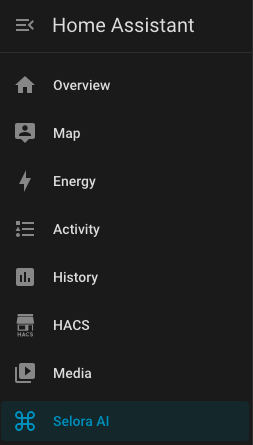
Selora AI appears in the Home Assistant sidebar after installation.
Click on it to open the Selora AI panel and start exploring automation suggestions and insights.
Selora AI Cloud included
Every Selora Hub includes access to Selora AI Cloud, our managed LLM backend, with a starter allotment of credits. A Premium Support & Features subscription adds a monthly credit allotment based on your tier. On Selora Hub it is configured automatically when you enable Selora AI: no API keys, no provider selection, no authentication flow to complete.
You can monitor your current usage and remaining credits from your Selora Homes account, on the Selora AI page of this installation. Per-tier credit allotments are listed on the pricing page . When you need more credits in a month, buy a one-time top-up pack from the same page: see Recharge Credits . If you want to switch to a different backend (Anthropic, OpenAI, OpenRouter, Google Gemini, or Ollama), see Configuration .
Disabling Selora AI
To disable Selora AI, toggle the switch on the Selora AI card back to off. The Selora Hub will automatically remove the integration.
Learn more
- Selora AI overview — what Selora AI can do for your home
- Selora AI documentation — full setup, configuration, and privacy details
Last modified October 17, 2026: docs(connect): new remote access and backups screenshots (ea7eb6e)