For installers and integrators
The professional Home Assistant platform
Plan every home before you arrive, install it from a guided runbook, and support it remotely after handoff. Your customers stay yours. We keep the system running.
Free call, no commitment. Try a hub before your first customer. Already a dealer? Installer login
From first call to handoff
Every install is a project in Selora Connect, shared between you, the homeowner, and our team.
1 · Plan
Design the home before you drive there
The installation manifest holds the floors and areas, the devices in each room, the integrations and credentials they need, and the scenes and automations the home should run. Missing hardware shows up here, where it is cheap to fix.
Describe the home to Selora Assistant, or paste the transcript of your call with the homeowner, and review what it proposes.
How the manifest works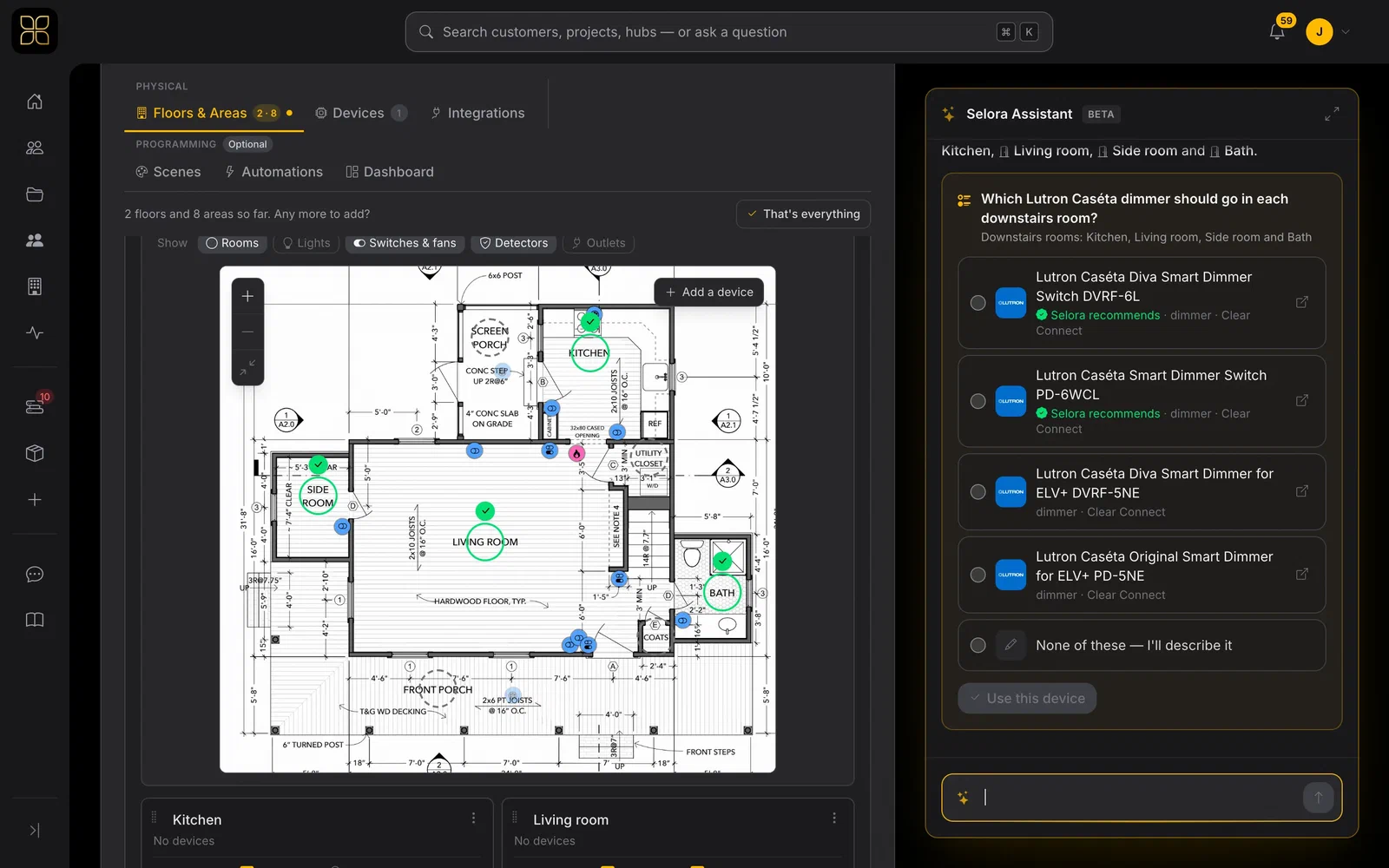
2 · Install
Follow a live runbook on site
Claim the Selora Hub and the manifest becomes a step-by-step guided installation. Steps complete on their own as devices pair, the planned scenes, automations, and dashboard get built, and Selora Assistant can troubleshoot any step with you.
See a guided installation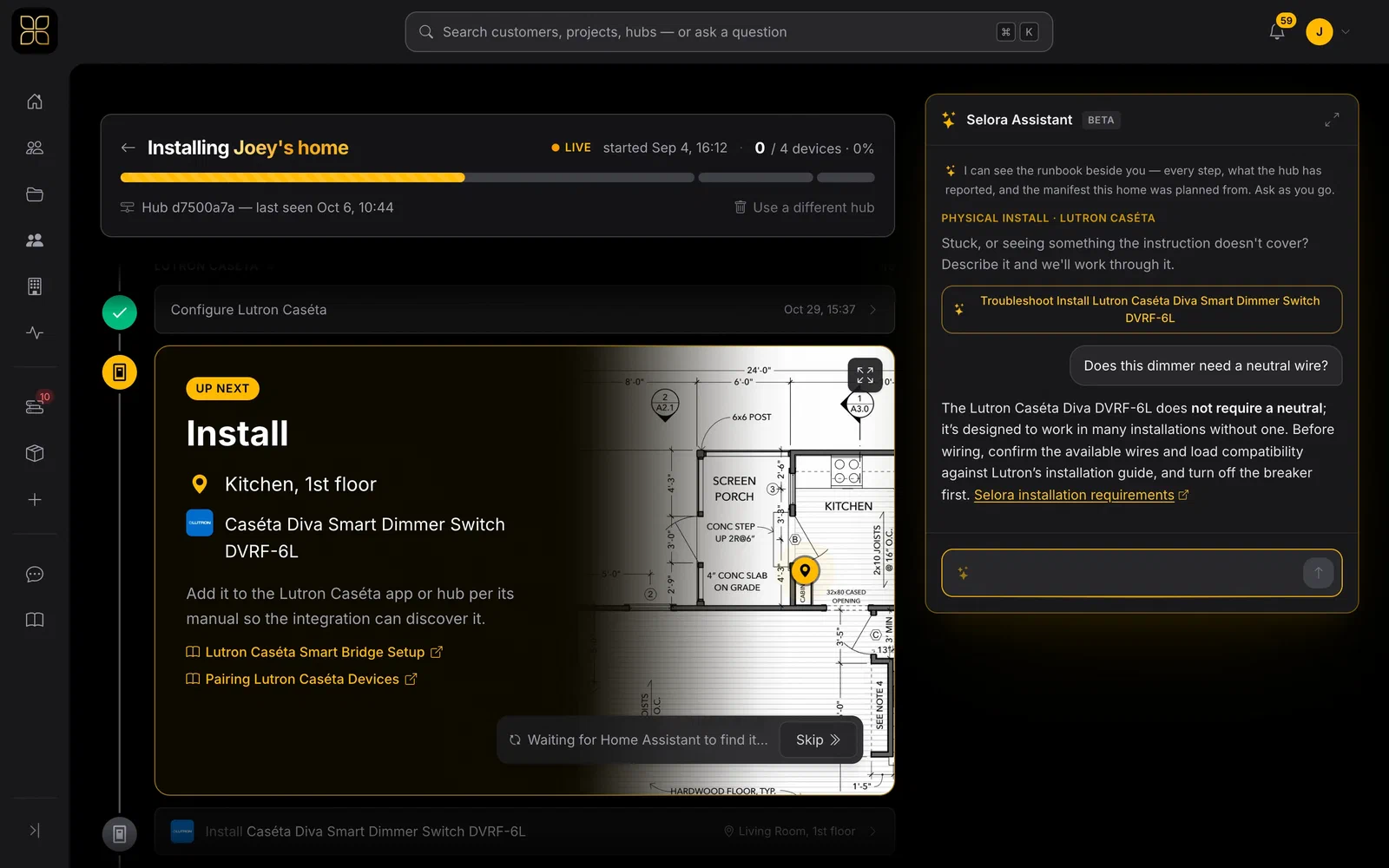
3 · Support
Fix it without the truck roll
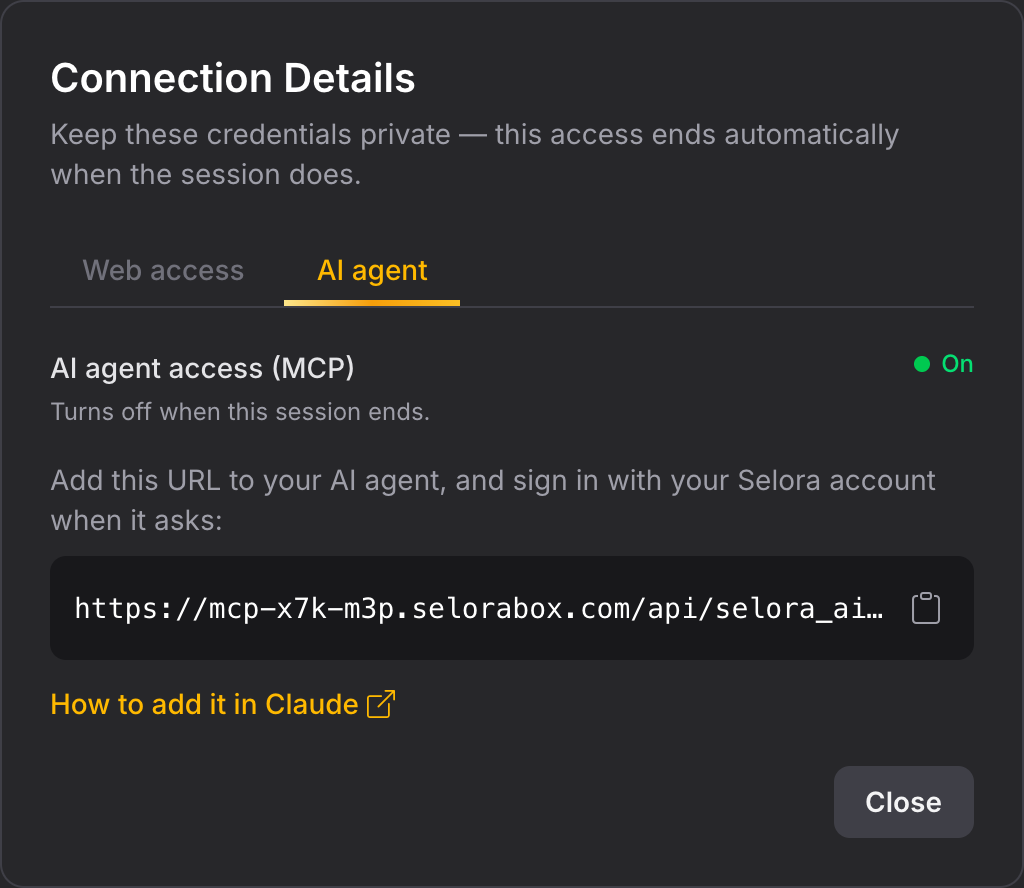
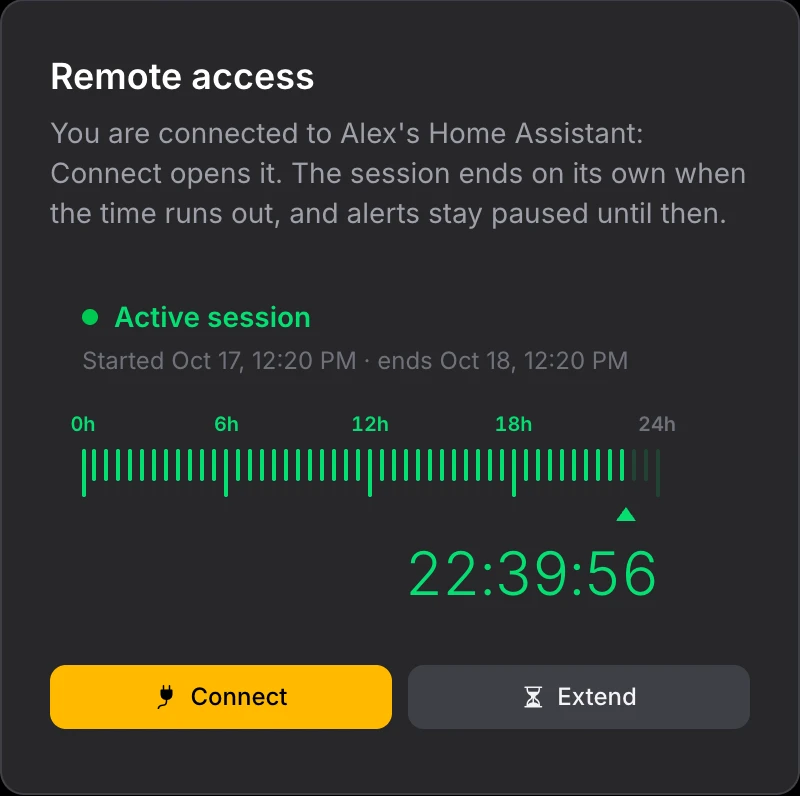
Request remote access from Selora Connect and pick up the job from your desk. Point your own AI agent at the home over MCP to read devices, states, and history while you troubleshoot.
- The homeowner approves every session
- Sessions from 15 minutes to 72 hours, extendable
- AI agent access is read-only unless you allow control
- Access ends on its own when the session does
Built for your whole team
Team roles and locations
Customers, projects, and hubs belong to your company. Invite technicians with the right role and file them at the branch they work from.
Your whole fleet
See every hub your company has installed, whether it is healthy, and when it last checked in, from one dashboard.
A managed hub
Selora Hub runs Home Assistant with automatic backups, managed updates, and remote access built in. Private and cloud-free at home.
Selora AI
Automation suggestions, natural language control, and pattern detection that keep the home improving after you leave.
2,000+ integrations
Unify what the homeowner already owns instead of pitching a rip-and-replace. Lutron, Sonos, Z-Wave, Zigbee, Matter, KNX, and more.
Listed in Find a Dealer
Homeowners searching for a professional near them find your company and service area on SeloraHomes.com.
Selora Academy
Train your technicians, get certified
Training written by our support engineers: the checks they run on real installs and the mistakes they see most. Sign in with your Selora Connect installer account.
Start learning- Tracks for the home network, Zigbee, Z-Wave, Matter over Thread and IP cameras
- Short lessons, about ten minutes each, with checks and a quiz per module
- Paths for smart home and video installers, from the first lesson to the exam
- A certificate with a public code your customers can verify
Pick the track that fits how you work
Three ways to partner, based on who brings the customer and who owns the relationship.
Integrator Partner
You bring the homeowner. Selora is the backend.
- Your company stays the visible brand
- Keep charging your normal fees
- Recurring revenue share on subscriptions
Home Assistant Specialist
You bring the expertise. Selora provides the platform.
- Discounted Selora subscription
- Keep the margin or pass on the savings
- Selora AI free from the Home Assistant Marketplace for existing installs
Fulfillment Partner
You handle the install. Selora brings the customer.
- We plan the job and route it to you
- Paid your standard install fee
- First priority on future onsite work
Try it before your first customer
Integrators can test with a Selora Hub, reimbursed when you bring your first customer, or with Selora software preloaded on compatible hardware you already own. No subscription during the trial.
* Selora Homes is not affiliated with Home Assistant. Home Assistant is a trademark of Nabu Casa, Inc.